Free Mac photo viewer. Browse, erase, compress, and enhance.
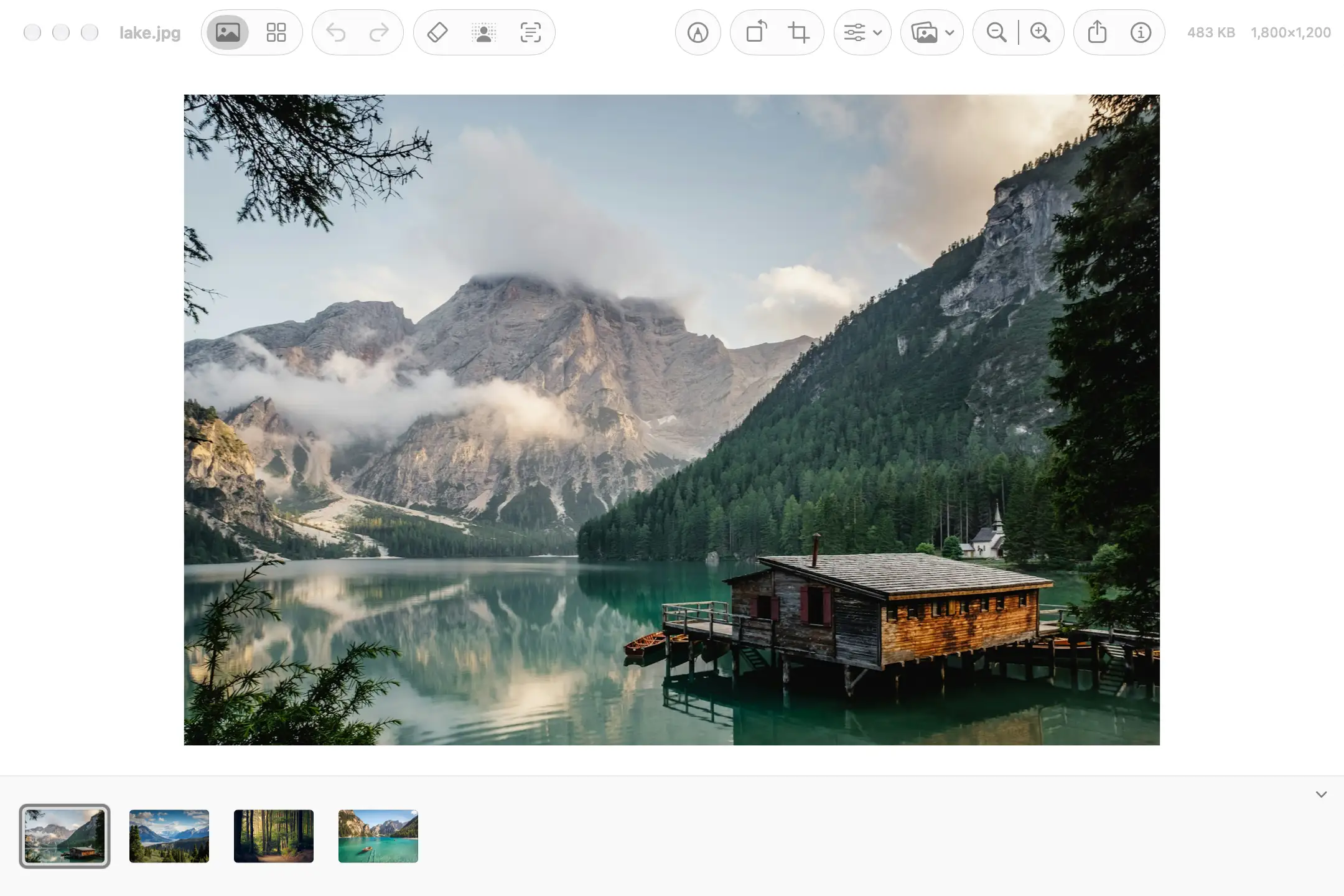
Peekpic Mac photo viewer interface
Overview
What is Peekpic?
Free Mac photo viewer. Browse, erase, compress, and enhance.
I built Peekpic as a free native Mac photo viewer and image editor for everyday pictures. You can browse a folder of photos, crop and annotate, compare two images, remove unwanted people or objects, cut out a background, compress a batch of files, make blurry shots clearer, and copy or translate text in a picture. Photos stay on your Mac — no account, and nothing is uploaded for processing. Peekpic 1.5.1 requires Apple silicon and macOS 15 or later.
Platforms and languages
Peekpic Availability
Platforms
Languages
Capabilities
Peekpic Key Features
Folder-based photo browsing
Browse and view photos from a folder on your Mac in a native desktop photo viewer.
Crop, annotate, and compare
Crop and annotate images, and compare two pictures.
AI erase and background removal
Remove unwanted people or objects from photos and cut out image backgrounds.
Batch image compression
Compress a batch of image files.
Enhance and read text in photos
Make blurry shots clearer, and copy or translate text in a picture.
Plans and access
Peekpic Pricing
Free
Free.
Currently free to use. No subscription or account required.
Peekpic Alternatives
 AI Photo EditorEdit and transform photos with natural-language prompts online
Reviews
See what the community thinks and share your experience.
—
Based on 0 ratings
Rating distribution
Community reviews
No reviews
No written reviews yet.