Checks your RAM, GPU and disk, then picks the best AI model that actually runs well on your computer — free, open source and fully offline.
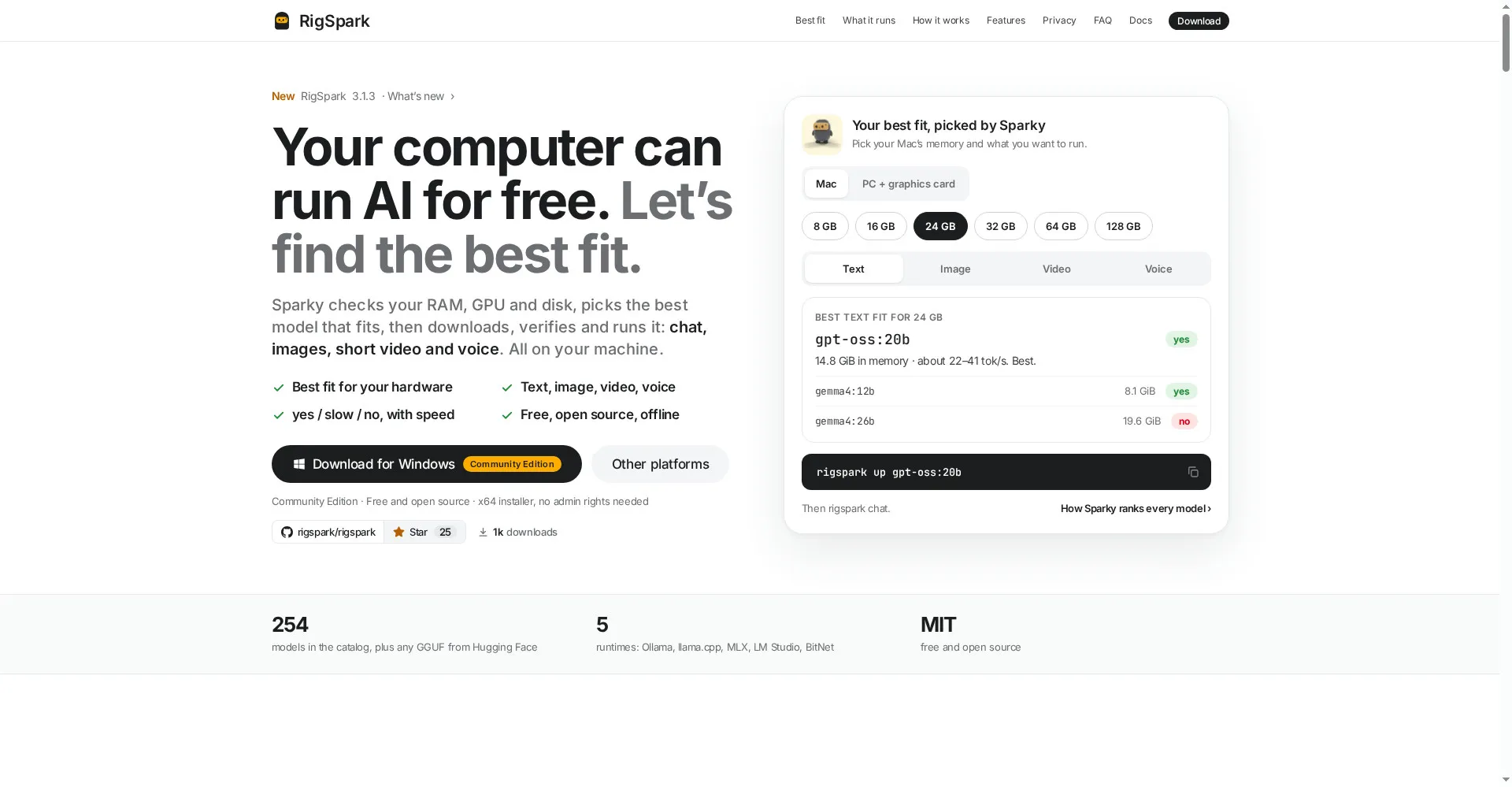
RigSpark homepage
1 / 2Overview
What is RigSpark?
Know which AI to run on your own computer
RigSpark tells you which AI to run on your own computer. Sparky checks your RAM, GPU and disk, picks the best model that fits, then downloads, verifies and runs it — chat, images, short video and voice, all on your machine.
- Best fit for your hardware: a clear yes / slow / no, with speed, for every model
- 254 models in the catalog, plus any GGUF from Hugging Face
- Five runtimes: Ollama, llama.cpp, MLX, LM Studio and BitNet
- AI Hardware Score (0–100) names your bottleneck
- Free and open source under the MIT license, fully offline
Available for macOS, Windows and Linux, with a web version.
Platforms and languages
RigSpark Availability
Platforms
Languages
Capabilities
RigSpark Key Features
Best fit for your hardware
Sparky checks your RAM, GPU and disk and picks the best model that fits, with a clear yes / slow / no and speed.
Chat, images, video and voice
Run text, image, short video and voice models — all on your own machine.
Add from Hugging Face
Paste any GGUF repo and run it.
AI Hardware Score
A 0–100 score (rigspark doctor) names your bottleneck so you know what to upgrade.
Free and open source
MIT licensed, 254 models in the catalog, plus any GGUF from Hugging Face.
Best for
Who uses RigSpark?
Anyone with a laptop who wants AI without the cloud
Find out which models run well on your machine and run them offline for free
Developers and tinkerers
Test and run open models locally with five runtimes and Hugging Face support
Plans and access
RigSpark Pricing
Free
Common questions
RigSpark FAQs
What is RigSpark?
RigSpark tells you which AI model to run on your own computer. It checks your RAM, GPU and disk, then picks the best model that fits and runs it — fully offline.
Is RigSpark free?
Yes. RigSpark is free and open source under the MIT license, with 254 models in its catalog.
Which models can I run?
Any of the 254 catalog models, plus any GGUF model from Hugging Face. It runs chat, image, short video and voice models.
Do I need a powerful graphics card?
Not necessarily. RigSpark checks your memory, graphics card and disk and tells you honestly which models will run well, run slowly, or not run at all — and its 0–100 Hardware Score names your bottleneck.
Reviews
See what the community thinks and share your experience.
—
Based on 0 ratings
Rating distribution
Community reviews
No reviews
No written reviews yet.