Free open-source Windows 11 tray app that runs llama.cpp models locally and shares them with other apps over a local API.
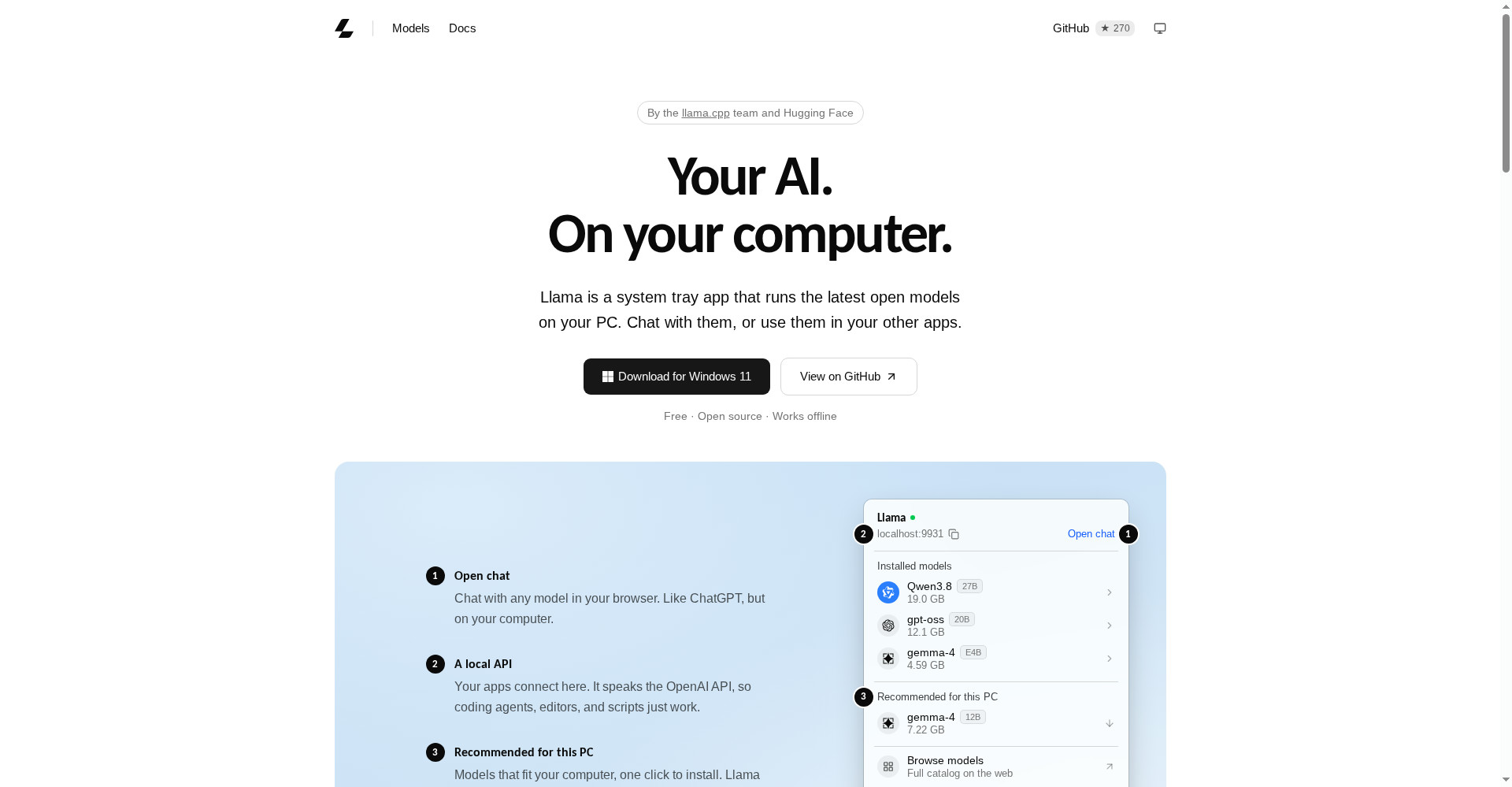
Homepage - your AI, on your computer
1 / 2Overview
What is Llama Windows?
One local AI server for all your Windows apps
Llama Windows is a free, open-source Windows 11 tray app from the llama.cpp team and Hugging Face that puts llama.cpp in your notification area. Pick a model from the Hugging Face Hub, download it in one click, and run it locally with no terminal, no build step and no admin rights. Press Alt+Space anywhere to chat with the loaded model, and let coding agents, editors and scripts share the same local OpenAI-compatible server at localhost:9931/v1. Models stay in the standard Hugging Face cache, hardware-matched recommendations help you pick a model that fits your PC, and prompts and inference stay on your computer.
Platforms and languages
Llama Windows Availability
Platforms
Languages
Capabilities
Llama Windows Key Features
Lives in the Windows 11 tray
A native WinUI 3 app in the notification area, with a compact flyout and no taskbar window to manage.
Alt+Space chat anywhere
Press Alt+Space from any app to chat with the loaded model in a spotlight-style overlay.
One-click model downloads
Browse recommended models from the Hugging Face Hub, with size, parameter count and vision support shown before download.
Shared model cache
Models live in the standard Hugging Face cache, so apps share downloads instead of storing separate copies.
Local OpenAI-compatible API
Coding agents, editors and scripts point at localhost:9931/v1 and share one local server.
Best for
Who uses Llama Windows?
Windows users who want local AI without the cloud
chat with open models on their own PC, privately and offline
developers and local AI builders on Windows
share one local model server across coding agents, editors and scripts
Plans and access
Llama Windows Pricing
Free
Free and open source.
Common questions
Llama Windows FAQs
Is Llama Windows really free?
Yes. It is free and open source, with the code on GitHub under ggml-org/Llama-Windows.
Which version of Windows does it need?
Windows 11, including Windows on Arm and NVIDIA RTX Spark systems.
Do I need a terminal or admin rights?
No. It installs as a tray app and manages llama.cpp for you, with no terminal commands or admin rights required.
How do my other apps use the models?
Point any OpenAI-compatible client at the local server at localhost:9931/v1, and it shares the loaded model and cache.
Where are downloaded models stored?
In the standard Hugging Face cache on your PC, shared with llama.cpp and other tools instead of duplicated per app.
Reviews
See what the community thinks and share your experience.
—
Based on 0 ratings
Rating distribution
Community reviews
No reviews
No written reviews yet.