Open-source AI email assistant that auto-organizes your inbox, drafts replies in your voice, and blocks cold email for Gmail and Outlook users.
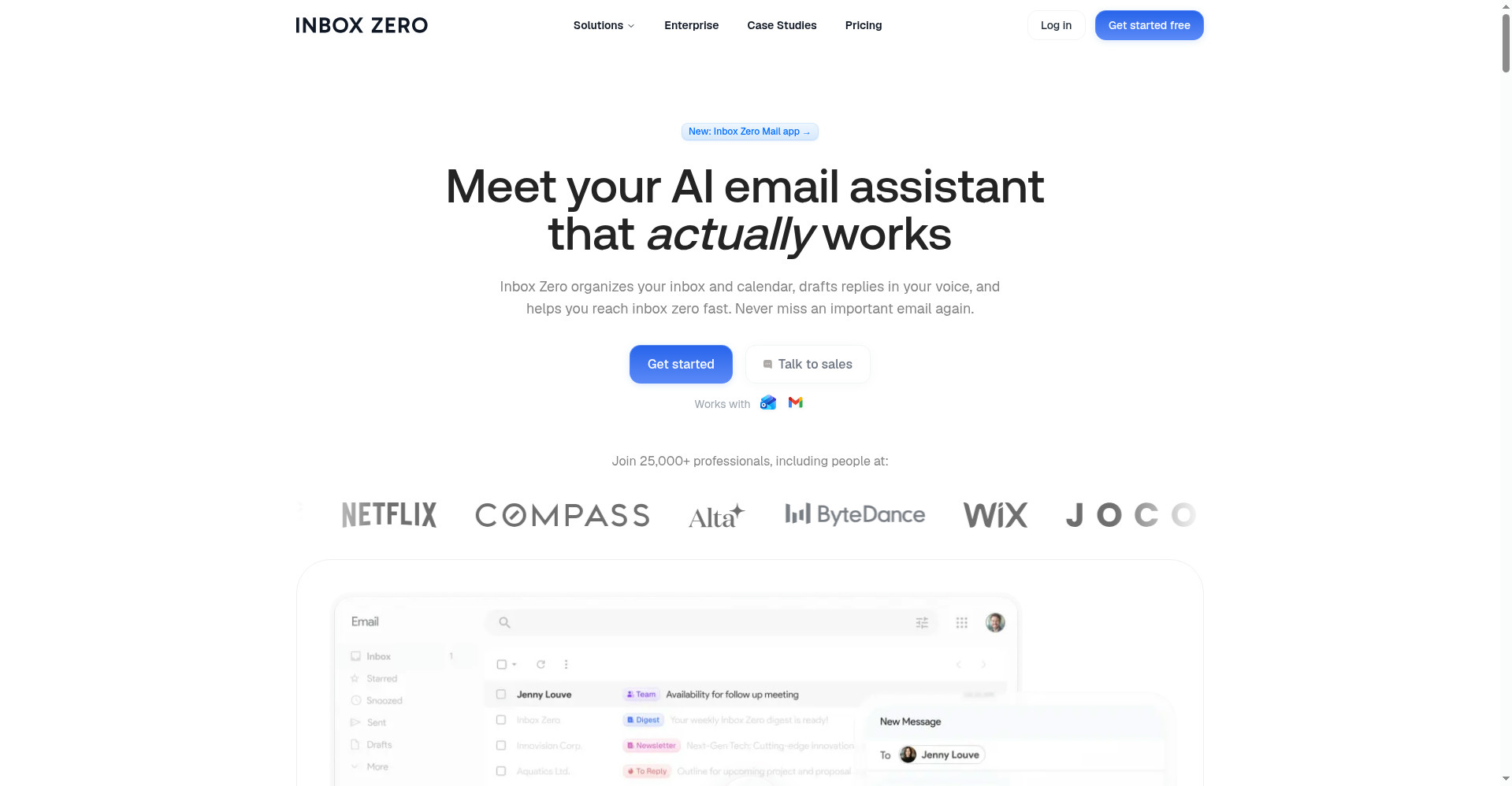
Homepage
1 / 2Overview
What is Inbox Zero?
Meet your AI email assistant that actually works
Inbox Zero is an open-source AI email assistant and email client for Gmail and Outlook. Its AI automatically organizes your inbox into smart categories, drafts replies in your voice before you even open each email, blocks cold emails, and unsubscribes you from newsletters you never read in bulk. The email app itself is free on web, Mac, Windows, and iPhone; the AI assistant is a paid add-on starting at $18/user/month with a 7-day free trial. Privacy-first and open source: SOC 2 Type 2 certified, your data is never used for AI training, and you can self-host for total control.
Platforms and languages
Inbox Zero Availability
Platforms
Languages
Capabilities
Inbox Zero Key Features
AI inbox organization
Automatically sorts and labels every email into smart categories like To Reply, Newsletter, and Cold Email.
Reply drafts in your voice
Pre-writes replies in your tone for every email needing a response, ready for you to send.
Bulk unsubscribe
Finds newsletters you never read and unsubscribes and archives them in one click.
Cold email blocking
Blocks cold emails before they can clutter your inbox.
Email analytics
Shows who emails you most and what is clogging your inbox so you can take action.
Calendar-aware drafts
Connects to your calendar and CRM to draft emails based on your real schedule and customer data.
Free email app
Fast, keyboard-first email client for Gmail and Outlook on web, Mac, Windows, and iPhone.
Open source and private
Open-source codebase, SOC 2 Type 2 certified, with a self-hosting option; your data is never used for AI training.
Best for
Who uses Inbox Zero?
Busy professionals and executives
Clear a flooded Gmail or Outlook inbox and draft replies faster
Plans and access
Inbox Zero Pricing
Freemium
Free email app; AI plans from $18/user/mo (Starter), $28 (Plus), $42 (Professional), 7-day free trial.
Common questions
Inbox Zero FAQs
Which email providers does it work with?
Gmail, Google Workspace, and Microsoft Outlook. It works inside your existing Gmail or Outlook, and also has its own app for web, desktop, and iPhone.
Is there a free plan?
Yes. The email app is free to use. The AI assistant is a paid add-on starting at $18/user/month, with a 7-day free trial (card required, cancel anytime).
Is my email data used to train AI?
No. Inbox Zero states your data is never used for AI training. It is SOC 2 Type 2 certified, open source, and can be self-hosted.
Is there a mobile app?
Yes, there is a native iPhone app for triaging your inbox on the go. An Android app exists and is due for an update.
Can I get a refund?
Yes. If you feel you did not get value, email them within 14 days of upgrading for a refund.
Reviews
See what the community thinks and share your experience.
—
Based on 0 ratings
Rating distribution
Community reviews
No reviews
No written reviews yet.