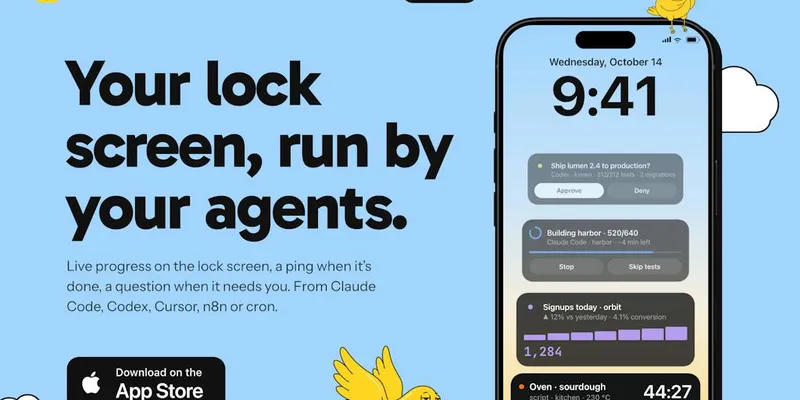
iPhone app that shows running AI agents as lock-screen Live Activities and lets you approve or deny their actions from notifications.
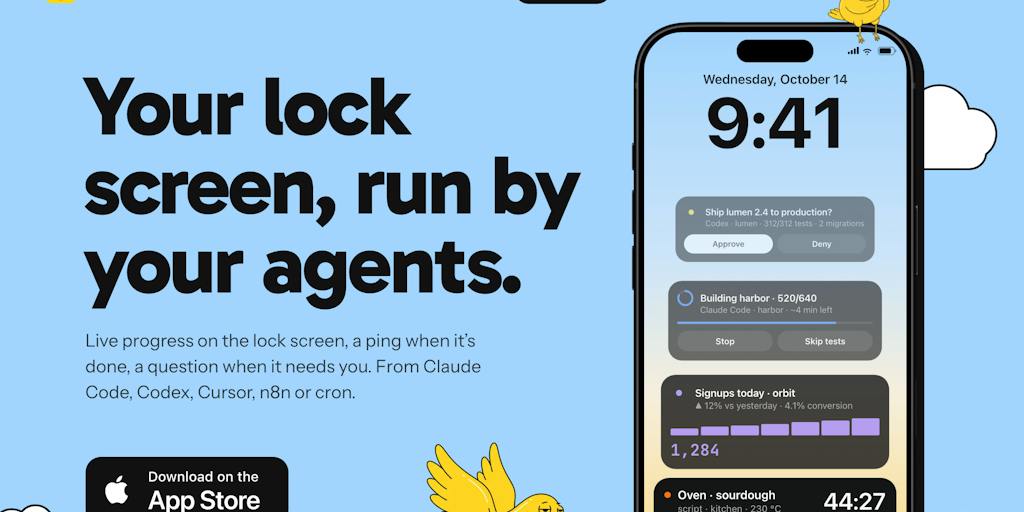
Monish lock screen view
1 / 2Overview
What is Monish?
Your AI agents, live on your iPhone lock screen
Monish puts your AI agents on your iPhone. Paste one line into Claude Code, Codex, Cursor, n8n or a cron job, and long runs appear as a Live Activity on the lock screen and in the Dynamic Island.
It pings you once when the work lands, and before an agent deploys, sends or spends, it asks first so you can approve or deny from the notification. There is no account, no SDK and nothing to install on your computer, and the maker says agent data is deleted from its server after 48 hours. It is free with no in-app purchase, and it also works for non-coding jobs such as watching a price or delivering a morning brief.
Platforms and languages
Monish Availability
Platforms
Languages
Capabilities
Monish Key Features
Lock screen Live Activities
Long agent runs show as a Live Activity on the lock screen and in the Dynamic Island.
Done and failure alerts
It pings once when the work lands, and failures can still ring during quiet hours.
Approve or deny from notifications
Before an agent deploys, sends or spends, it asks, and you tap Approve or Deny from the notification.
One-line setup, no account
Paste one line into Claude Code, Codex, Cursor, n8n or a cron job; no account, no SDK, nothing to install on your computer.
Short data retention
What agents send is deleted from the maker's server after 48 hours.
Best for
Who uses Monish?
Developers who run AI agents in parallel, often overnight
Watch agent progress on the iPhone lock screen and approve or deny risky actions without checking the terminal
Plans and access
Monish Pricing
Free
Free, no in-app purchase.
Common questions
Monish FAQs
Which agents work with Monish?
The launch post names Claude Code, Codex, Cursor, n8n and cron jobs, connected by pasting one line.
Do I need an account or extra software on my computer?
No. The maker describes it as no account, no SDK and nothing to install on your computer.
What happens before an agent deploys, sends or spends?
The agent asks first, and you tap Approve or Deny from the notification.
How long is agent data kept?
The maker says what agents send is deleted from its server after 48 hours.
Reviews
See what the community thinks and share your experience.
—
Based on 0 ratings
Rating distribution
Community reviews
No reviews
No written reviews yet.