Browser-based video and podcast editor that rebuilds audio and video when you edit words in the transcript — free forever, locally.
Homepage
1 / 2Overview
What is Nexim?
Edit video like a doc. Free forever, in your browser
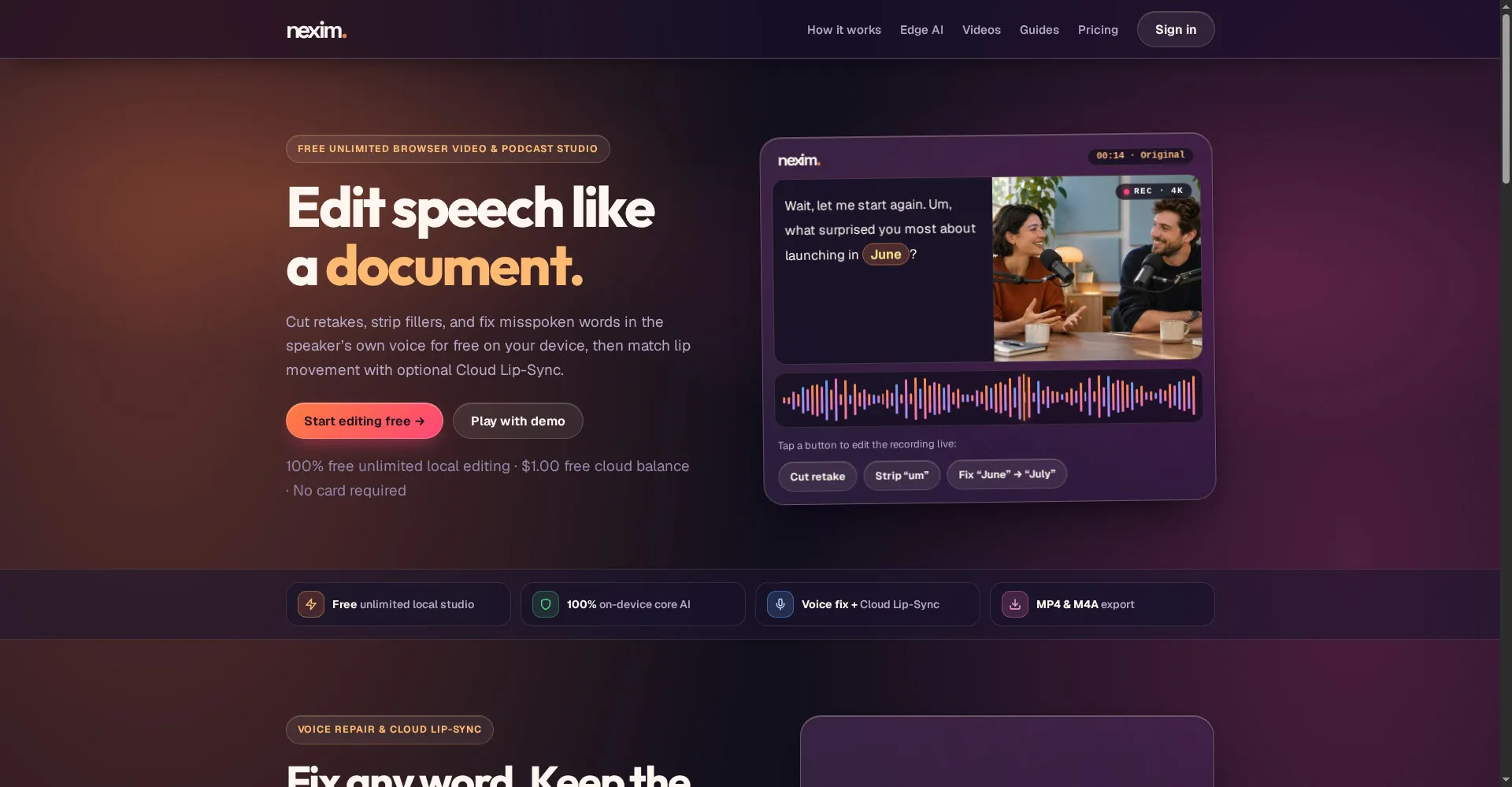
Nexim is a browser-based video and podcast editor that lets you edit speech like a document. Turn long, rambling recordings into clean, publishable video and audio: delete or change words in the transcript and Nexim rebuilds the audio and video to match, using the speaker's own voice.
Double-click a misspoken word, type the correction, and it is re-synthesized locally. One click removes 'um' and other fillers and bad takes. Optional cloud lip-sync touches up only the replaced words at $0.05 a second, and you can export subtitled MP4/M4A in the browser with no duration limit.
The Local Studio is free forever with no subscription and no weekly minute limit — transcription, voice replacement, filler removal, subtitles and export all run on your own hardware. New accounts also get $1.00 of cloud balance, and prepaid credit packs never expire.
Platforms and languages
Nexim Availability
Platforms
Languages
Capabilities
Nexim Key Features
Edit speech like a document
Delete or change words in the transcript and Nexim rebuilds the audio and video to match.
Voice repair
Double-click a misspoken word, type the correction, and it is re-synthesized in the speaker's own voice on your device.
Filler removal
Remove 'um' and other fillers and bad takes in one click.
Optional cloud lip-sync
Only the replaced words get lip-sync, at $0.05 per second.
Local export
Export subtitled MP4/M4A in the browser with no duration limit.
Best for
Who uses Nexim?
Podcasters and interview creators
Turn long, rambling recordings into clean, publishable audio and video
YouTube talking-head creators
Fix misspoken words and cut fillers by editing the transcript
Course and webinar producers
Edit long recordings quickly without uploading footage to the cloud
Plans and access
Nexim Pricing
Freemium
Local Studio free forever; cloud extras pay-as-you-go from $0.01/min.
Common questions
Nexim FAQs
Is the core editor really free and unlimited?
Yes — transcription, voice replacement, filler removal, subtitles and export all run on your own hardware, with no weekly minute limit and no subscription fee.
Does cloud balance expire?
No — prepaid balance stays available indefinitely, with no monthly renewal or automatic charges.
How is Cloud Lip-Sync charged?
Only short clips around replaced words are processed, at $0.05 per second (rounded up, minimum 1 second); fixing a single word usually costs $0.05–$0.10.
Reviews
See what the community thinks and share your experience.
—
Based on 0 ratings
Rating distribution
Community reviews
No reviews
No written reviews yet.