AI-native PDF editor: tell it what to do and it edits, redacts, merges and compresses your PDFs.
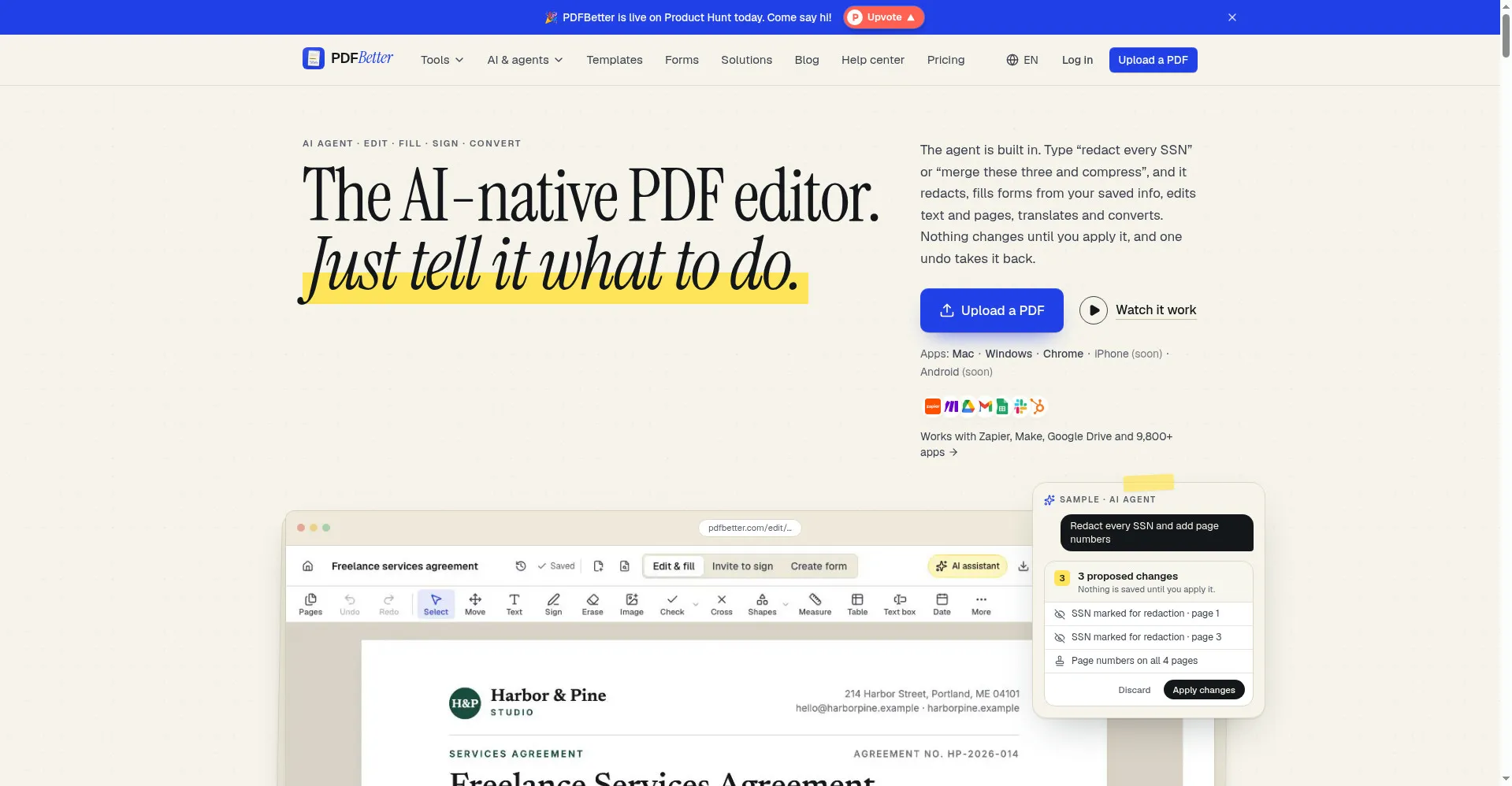
PDFBetter homepage
1 / 2Overview
What is PDFBetter?
AI PDF toolkit for documents that matter.
PDFBetter is the AI-native PDF editor: just tell it what to do.
The agent is built in. Type "redact every SSN" or "merge these three and compress", and it redacts, fills forms from your saved info, edits text and pages, translates and converts. Nothing changes until you apply it, and one undo takes it back. Beyond the agent, you get a full PDF toolkit: edit, fill, annotate and prepare signatures, merge, split, rotate, convert images to PDF and more.
Pricing starts free: a Free plan ($0 forever) adds 3 downloads, 3 signature requests and 20 AI credits per month; browser tools work with no account at all. Pro is $10/month billed yearly ($15 monthly) and Business is $18/month per seat billed yearly; both start with 7 days free. Native apps exist for Mac and Windows plus a Chrome extension, with iPhone and Android coming.
Platforms and languages
PDFBetter Availability
Platforms
Languages
Capabilities
PDFBetter Key Features
AI agent for PDFs
Type plain-language commands like "redact every SSN" or "merge these three and compress" and the built-in agent does it.
Edit, fill and sign
Edit text and pages, fill forms from saved info, add signatures and signatures requests.
Convert and compress
Convert PDFs to other formats and compress files, with nothing saved until you apply.
Works with your stack
Connects with Zapier, Make, Google Drive and 9,800+ apps; Business plans get an API.
Apps for every platform
Native apps for Mac and Windows plus a Chrome extension; iPhone and Android apps coming.
Best for
Who uses PDFBetter?
Professionals and students who work with PDFs
Edit, redact, merge, convert and sign PDFs with plain-language AI commands.
Plans and access
PDFBetter Pricing
Freemium
Free ($0 forever); Pro $10/mo billed yearly; Business $18/mo per seat.
Common questions
PDFBetter FAQs
How do I cancel my subscription?
Email support with your account email and billing details; refunds within 7 days of a recurring payment are at their discretion.
Can I delete my account and data?
Yes, from account settings; the support team can help with full data removal if needed.
What do I get on the Free plan?
$0 forever: 3 downloads, 3 signature requests and 20 AI credits per month. Browser tools work with no account at all.
Is there a trial?
Yes. Pro and Business start with 7 days free; cancel before the trial ends and you won't be charged.
Does the AI change my document automatically?
No. Nothing changes until you apply the agent's proposed changes, and one undo takes it back.
Reviews
See what the community thinks and share your experience.
—
Based on 0 ratings
Rating distribution
Community reviews
No reviews
No written reviews yet.