A dependency-free React component library of animated AI status indicators, MIT licensed and 3.8 KB gzipped.
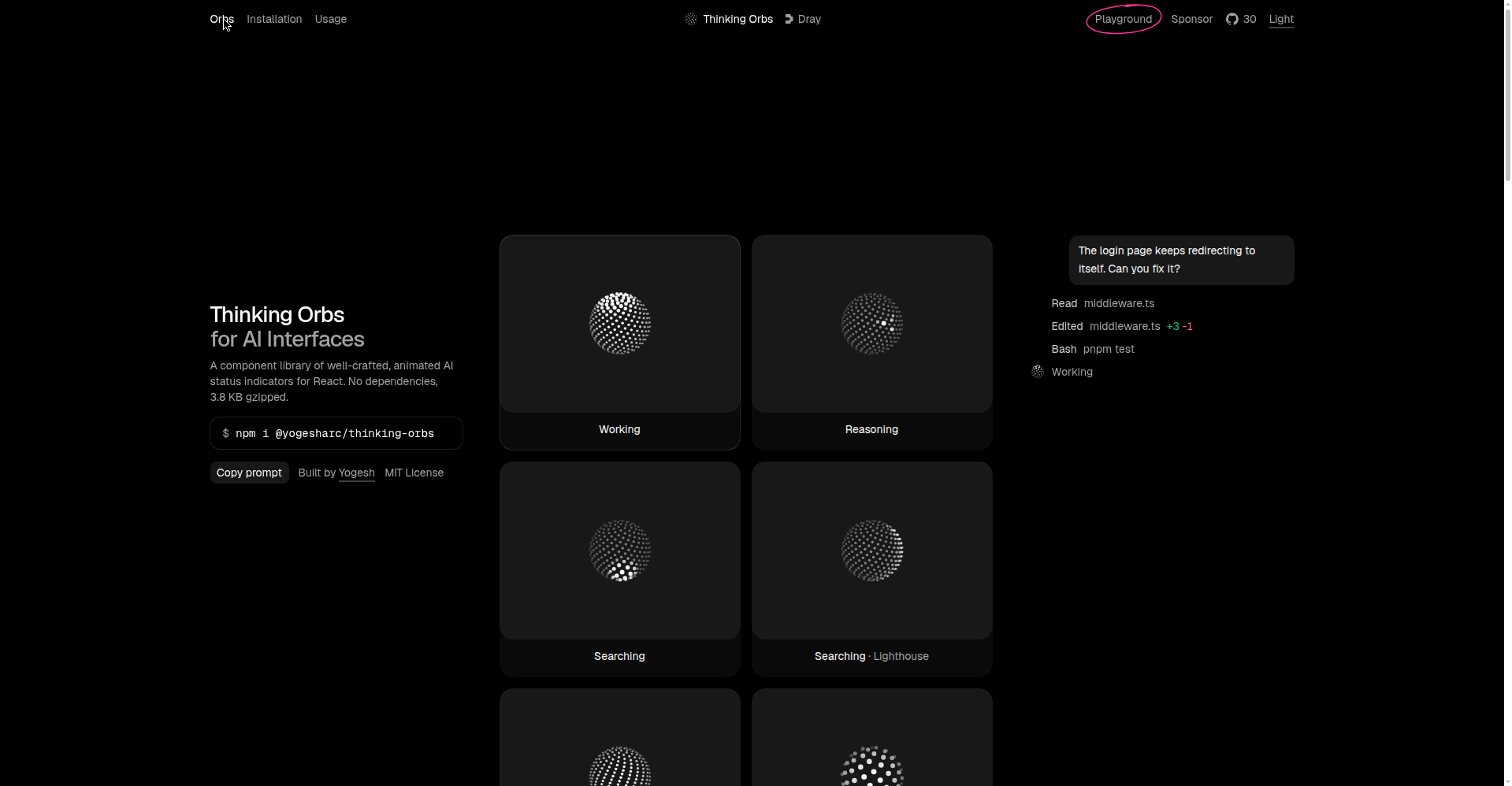
Thinking Orbs homepage — orb gallery (Working, Reasoning, Searching)
1 / 2Overview
What is Thinking Orbs?
Thinking Orbs for AI Interfaces
Thinking Orbs is an open-source React component library of animated AI status indicators. Instead of a generic spinner, you import the Orb component, pass it a state like "reasoning", "working", or "searching", and get a polished dotted-sphere animation that tells users what the agent is doing.
Everything is optional via props: variant, size, speed, shape, render style, dot density, tilt, and tinting with text-* classes. The core ships one shape and one render; extra shapes and renderers are opt-in imports, so only what you use lands in the bundle. The result is 3.8 KB gzipped with zero dependencies.
Install with npm i @yogesharc/thinking-orbs. It's MIT licensed and free for commercial use, with a live playground on the site to try every state, shape, and render before installing. Accessibility is built in, with screen-reader labels and a paused prop to freeze animation.
Platforms and languages
Thinking Orbs Availability
Platforms
Languages
Capabilities
Thinking Orbs Key Features
Animated status orbs
Drop-in Orb component with states like reasoning, working, and searching that show what an AI agent is doing.
Tiny, dependency-free
Zero dependencies and only 3.8 KB gzipped, so it won't bloat your app.
Customizable looks
Variants, sizes, speeds, shapes, and render styles are all optional props; only what you import lands in the bundle.
Accessible by default
Screen-reader labels and a paused option to freeze the animation.
Interactive playground
Try every state, shape, and render in the live playground before installing.
Best for
Who uses Thinking Orbs?
React developers building AI products
Show agent activity (thinking, searching, working) with polished animated status indicators
Plans and access
Thinking Orbs Pricing
Free
Common questions
Thinking Orbs FAQs
How do I install and use it?
Run `npm i @yogesharc/thinking-orbs`, then `import { Orb } from "@yogesharc/thinking-orbs"` and render `<Orb state="reasoning" />`.
What license does it use?
MIT — free for personal and commercial use.
Will it bloat my bundle?
No. It ships zero dependencies and is only 3.8 KB gzipped; extra shapes and render styles are opt-in imports.
Can I customize the look?
Yes. Props cover variant, size, speed, shape, render style, dot density, dot size, tilt, and tinting via text-* classes. Try them all in the live playground.
Reviews
See what the community thinks and share your experience.
—
Based on 0 ratings
Rating distribution
Community reviews
No reviews
No written reviews yet.