An open-source physical and desktop body — face, voice, and one key — for your AI agent.
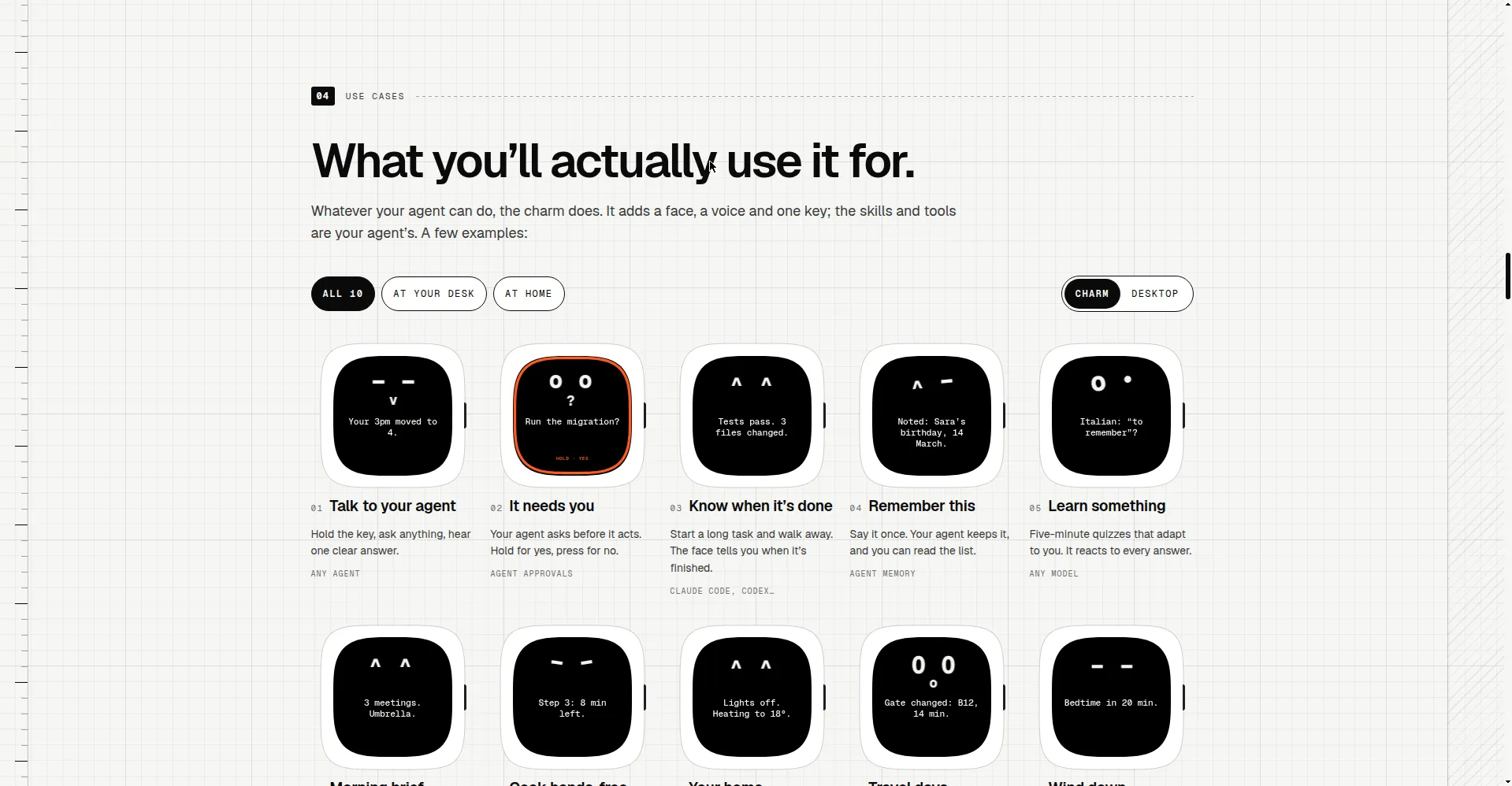
What you'll actually use it for
1 / 2Overview
What is OpenCharm?
Open-source body for the AI agent you already run.
OpenCharm is an open-source body for the AI agent you already run. It gives your ACP agent (Claude Code, Codex, Gemini CLI, and others) a face made of typed glyphs, a voice, and one key: hold the key to talk, get one clear answer. The charm lives at the top of your screen as a desktop charm for macOS and Windows, or on a small ESP32-S3 board you build yourself (about $32 in parts; the project sells nothing). The software is free and MIT-licensed; the microphone opens only while you hold the key — no wake word — and your agent, keys, and data stay on your machine.
Platforms and languages
OpenCharm Availability
Platforms
Languages
Capabilities
OpenCharm Key Features
A face for your agent
A face made of typed glyphs that shows what your agent is doing — talking, thinking, done, or needs you.
One key, voice in and out
Hold one key to talk and hear one clear answer; the microphone closes the moment you let go.
Desktop charm or DIY hardware
Runs at the top of your screen on macOS and Windows, or on a DIY ESP32-S3 board.
Any ACP agent
Works with Claude Code, Codex, Gemini CLI, and any ACP-speaking agent or OpenAI-compatible API.
Private by design
Your agent runs on your machine with its own memory and model; the charm holds no API keys.
Best for
Who uses OpenCharm?
developers running AI coding agents
giving their agent a physical presence with voice
Plans and access
OpenCharm Pricing
Free
Common questions
OpenCharm FAQs
What is OpenCharm?
OpenCharm is an open-source body — a face, a voice, and one key — for the AI agent you already run.
Which agents does it work with?
Any agent that speaks ACP (Agent Client Protocol): Claude Code, Codex, Gemini CLI, goose, Hermes Agent, OpenClaw, and more.
Do I need the hardware?
No. The desktop charm runs the same OpenCharm OS on your Mac or Windows PC. The hardware board is optional.
Is it always listening?
No. The microphone opens only while you hold the key; there is no wake word, and the rule lives in OpenCharm OS itself.
How much does it cost?
The software is free and open source. The optional DIY board costs about $32 in parts that you buy yourself.
Reviews
See what the community thinks and share your experience.
—
Based on 0 ratings
Rating distribution
Community reviews
No reviews
No written reviews yet.