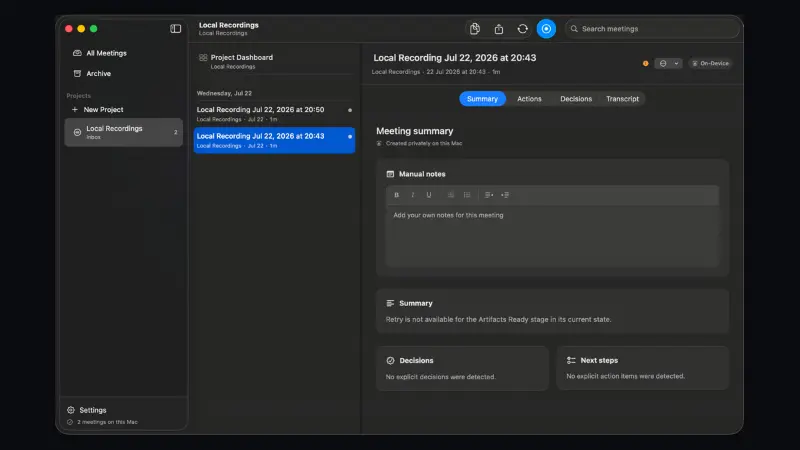
AI meeting notetaker that joins Zoom, Meet and Teams to transcribe calls into one searchable record.
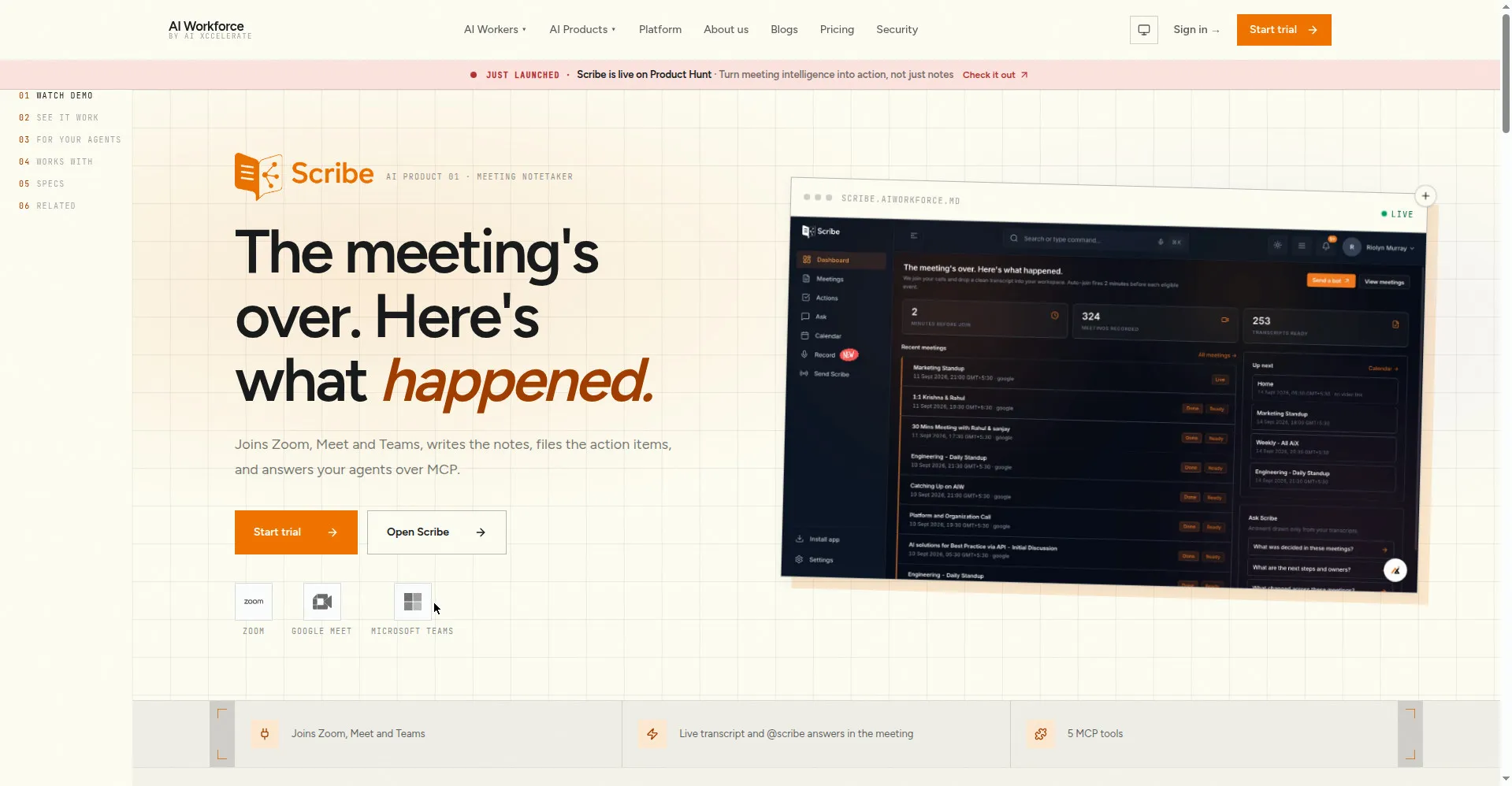
Scribe product homepage
1 / 3Overview
What is Scribe by AI Xccelerate?
Turn meeting intelligence into action, not just notes.
Scribe by AI Xccelerate is an AI meeting notetaker that turns every meeting into one searchable record. It joins Zoom, Google Meet and Microsoft Teams calls as a regular attendee, transcribes the conversation live, and automatically produces notes, decisions and action items with owners. It can also record in-person conversations and accepts uploaded recordings.
Across your meeting history you can search for decisions and action items in seconds, ask @scribe questions live during a meeting, and have tasks filed into Linear, Jira or Asana with the sentence that created them. Notes and tasks can also be archived to Slack and Notion. Developers get 5 MCP tools (list_meetings, get_transcript, search_meetings, get_action_items, create_action_item) plus a REST API so AI agents like Claude Code and Cursor can act on meeting data.
Pricing is per meeting hour rather than per user: a 15-day free trial (5 recording hours) leads into Pro at $100/month with 45 recording hours, a shared workspace and priority transcription; Enterprise is custom. You own your transcripts and can reuse them anywhere.
Platforms and languages
Scribe by AI Xccelerate Availability
Platforms
Languages
Capabilities
Scribe by AI Xccelerate Key Features
Joins your calls
Joins Zoom, Google Meet and Microsoft Teams meetings as an ordinary attendee and records in-person conversations.
Live transcription
Real-time transcription of conversations; you can ask @scribe questions live during a meeting.
Auto notes and action items
Generates summaries, decisions and action items with owners from every meeting automatically.
Searchable meeting history
One searchable record across all meetings; ask for decisions and action items from history in seconds.
Filing to your tools
Tasks are filed into Linear, Jira or Asana with the sentence that created them; notes archive to Slack and Notion.
MCP tools and REST API
5 MCP tools (list_meetings, get_transcript, search_meetings, get_action_items, create_action_item) plus a REST API for Claude Code, Cursor and other agents.
Transcript ownership
You own your transcripts and can reuse them anywhere; workspace content is not used for model training.
Best for
Who uses Scribe by AI Xccelerate?
Teams that meet frequently on Zoom, Google Meet or Microsoft Teams
Stop losing meeting details: get automatic notes, decisions and action items filed into existing workflows.
Developers building on AI agents such as Claude Code or Cursor
Let agents read, search and act on meeting data through 5 MCP tools and a REST API.
Plans and access
Scribe by AI Xccelerate Pricing
Freemium
15-day free trial; Pro $100/month (45 recording hours); Enterprise custom pricing.
Common questions
Scribe by AI Xccelerate FAQs
How long is the free trial?
Every product offers a 15-day free trial. For Scribe the trial includes 5 recording hours plus transcription, summaries and exporting notes and tasks. You need to sign up with a work email.
How does Scribe price its plans?
Scribe is priced by recording hours, not by user seat. Pro costs $100/month for 45 recording hours and includes a shared workspace and priority transcription. Enterprise plans have custom recording capacity and are priced on request.
Which meeting platforms does Scribe support?
Scribe joins Zoom, Google Meet and Microsoft Teams meetings as an ordinary attendee. It can also record in-person conversations and accept uploaded audio recordings.
Do I keep ownership of my transcripts?
Yes. You own your transcripts and are free to reuse them anywhere; the workspace content is also not used to train models.
Where can my action items and notes go?
Action items can be sent to Linear, Jira or Asana together with the sentence that created them, and notes can be archived to Slack and Notion. A REST API and 5 MCP tools let AI agents read and act on your meeting data.
Reviews
See what the community thinks and share your experience.
—
Based on 0 ratings
Rating distribution
Community reviews
No reviews
No written reviews yet.