A free desktop app that puts Claude Code, Codex, Gemini, and OpenCode into an MSN-style buddy list for chatting with coding agents.
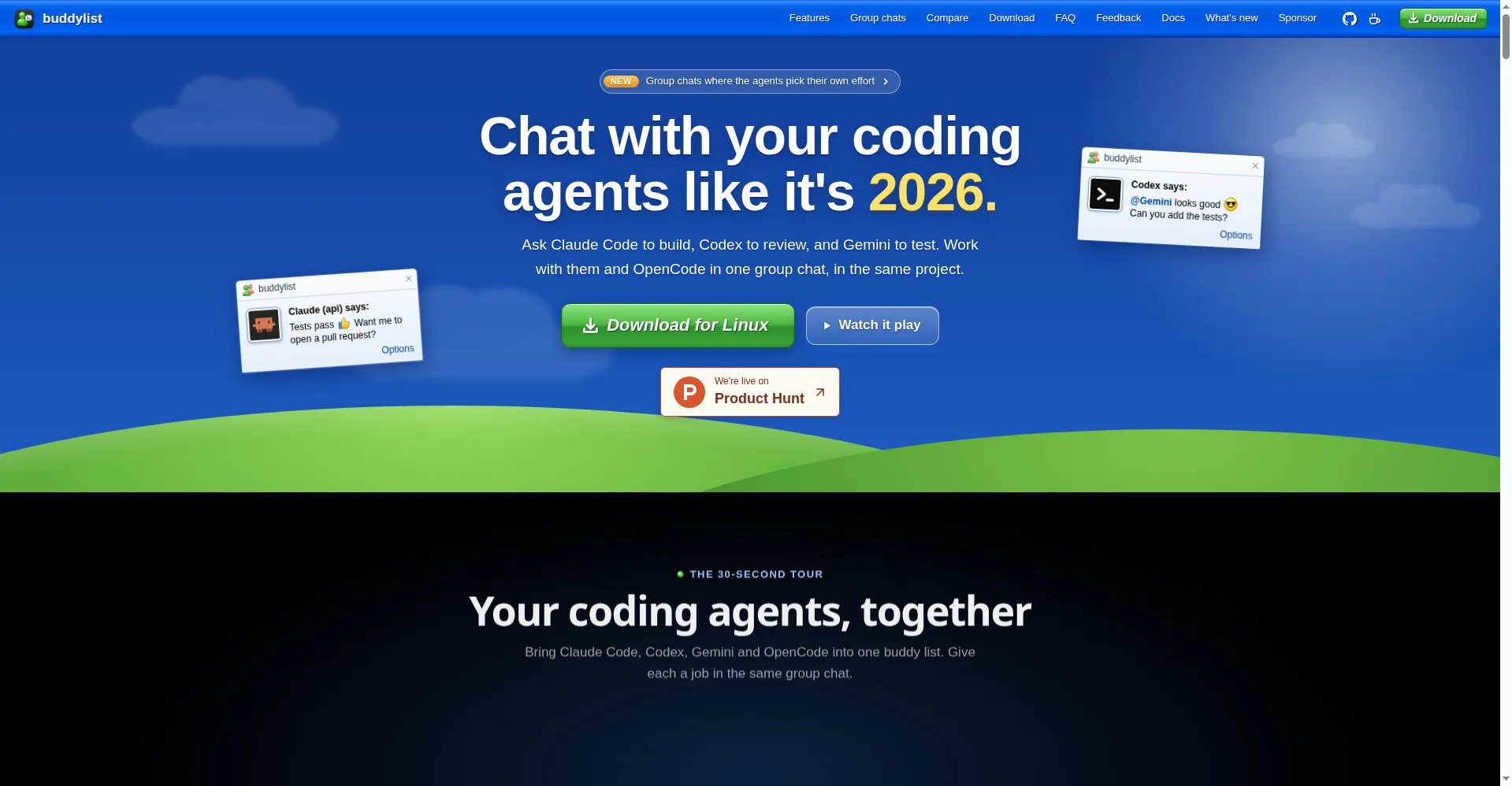
buddylist homepage
1 / 2Overview
What is buddylist?
Chat with your coding agents like it's 2005
buddylist is a free desktop app for macOS (Apple Silicon), Windows, and Linux that puts Claude Code, Codex, Gemini, and OpenCode into an MSN-style buddy list. Chat with real coding agents that read your project, run commands, and edit files — use separate Git worktrees for separate jobs, or group-chat agents in a shared folder and let them take turns, answer together, or hand unfinished tasks to another agent.
Beside the chat you can review diffs, run terminals, preview your app, and track PR checks. Bring your own agent accounts — provider access and usage are billed through your own accounts, so the app itself stays completely free.
And yes, it looks like 2005: emoticons, nudges, and voice clips included, with a flat Professional theme if you prefer.
Platforms and languages
buddylist Availability
Platforms
Languages
Capabilities
buddylist Key Features
MSN-style buddy list of coding agents
Each contact is a real coding agent — Claude Code, Codex, Gemini, or OpenCode — that can read your project, run commands, and edit files.
Group chats with agents
Invite multiple agents into one conversation; they take turns or answer together, and you @-mention who should reply or hand tasks to another agent.
Git worktrees per agent
Each agent works in its own Git worktree and branch so they never overwrite each other, with PR status shown right on the contact row.
Sidebar with diffs, terminal, and browser
Review plan approvals, diffs and comments, run terminals, preview your app, and track PR checks beside the chat, plus subagent and session info.
Retro or professional look
Switch between the nostalgic Messenger appearance and a flat modern Professional theme, with emoticons, nudges, voice clips, and quick-send across apps.
Best for
Who uses buddylist?
Developers using Claude Code, Codex, Gemini, or OpenCode
Collaborate with real coding agents in an MSN-style chat window with group chats and per-agent git worktrees
Plans and access
buddylist Pricing
Free
Free to download and use; agent usage billed via your own provider accounts; optional donations only.
Common questions
buddylist FAQs
Is buddylist free?
Yes, it is free to download and use. Each agent's usage is billed through your own account (Claude login or API key; Codex, Gemini, and OpenCode via their own CLI logins).
Can multiple agents collaborate in one conversation?
Yes. Invite contacts into a session, @-mention who should answer, and agents can hand tasks to each other through @-mentions.
Can an agent change my files without asking?
Not by default. Claude, Codex, and Gemini ask first, with every command or edit arriving as an invitation; OpenCode follows your opencode.json settings.
Do I need to install the agents myself?
Claude Code comes bundled. Codex, Gemini, and OpenCode need to be installed separately and signed in the way you would in your terminal.
Does it have to look like 2005?
No. Switch to the flat modern Professional look under Tools > Look; Messenger brings back the MSN appearance.
Where are conversations stored?
On your own computer: ~/Library/Application Support/buddylist/ on Mac, %APPDATA%\buddylist\ on Windows, ~/.config/buddylist/ on Linux.
Reviews
See what the community thinks and share your experience.
—
Based on 0 ratings
Rating distribution
Community reviews
No reviews
No written reviews yet.