Open-source desktop app giving AI agents a friendly inbox-style UX, with any model and MCP, API, and local file connections.
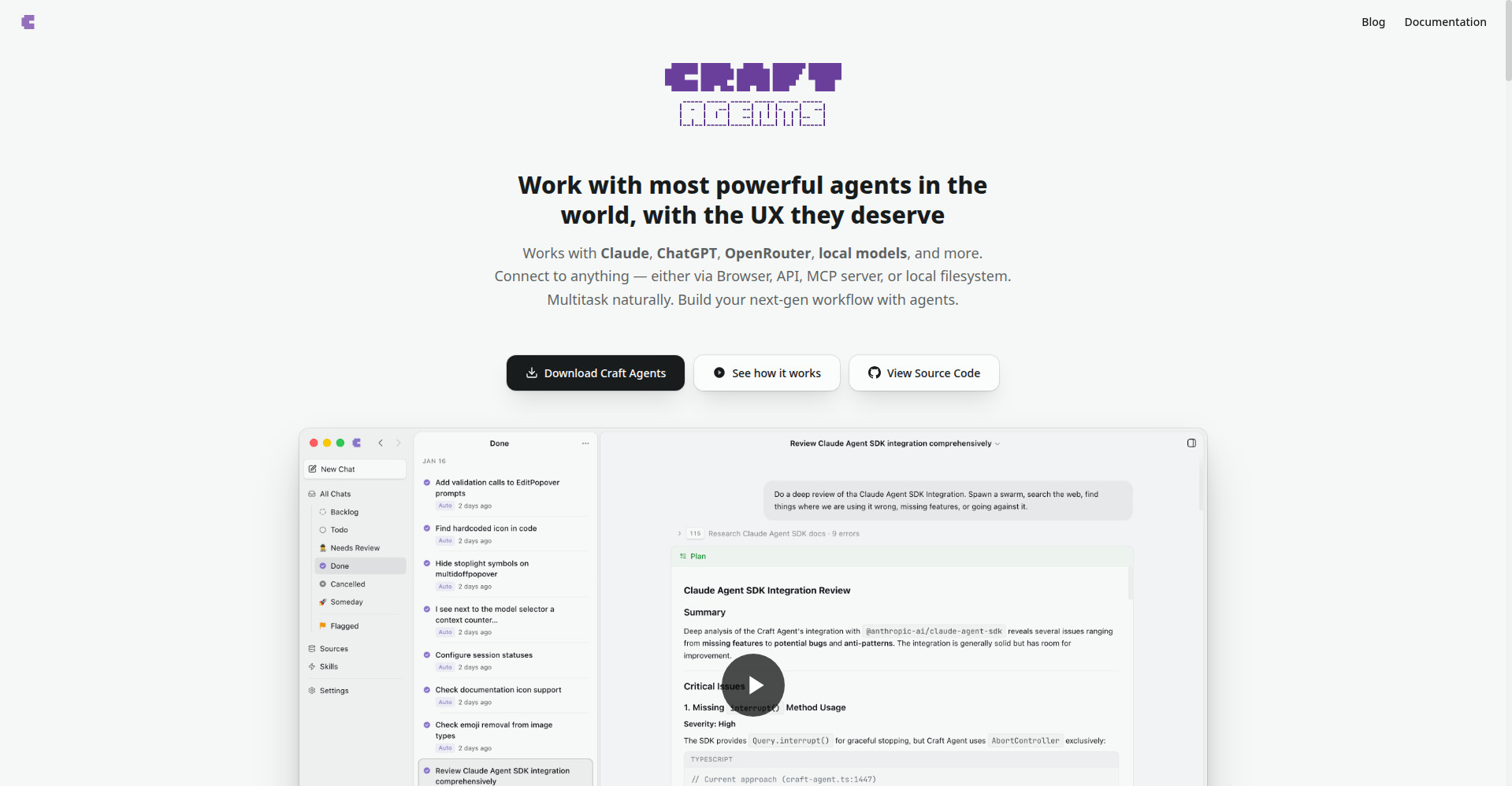
Craft Agents homepage
1 / 2Overview
What is Craft Agents?
The world's most powerful agents, with the UX they deserve
Craft Agents is a fully open-source (Apache 2.0) desktop app that brings AI agents into a UX you can actually live in. It runs locally on your machine, so your data and keys never leave it. Bring any AI provider - Claude, GPT, Gemini, or local models via Ollama or LM Studio - and connect agents to your real tools: MCP servers, REST APIs, and local files like Obsidian vaults or code repos. Code diffs, data tables, diagrams, and live previews render inline; results become persistent Pages, reusable Skills, and scheduled Automations. Conversations are organized like an inbox, long tasks run in the background, and sessions can be shared or linked to Linear and GitHub. Free to download for macOS, Windows, and Linux.
Platforms and languages
Craft Agents Availability
Platforms
Languages
Capabilities
Craft Agents Key Features
Bring your own model
Use Claude (API key or Max subscription), ChatGPT Plus via Codex, OpenRouter, Vercel AI Gateway, or local models.
Connect to anything
Hook up MCP servers, REST APIs, and local files with natural-language setup and fine-grained permissions.
Built-in Chromium browser
Agents browse pages, fill forms, click buttons, extract structured data, and annotate screenshots.
Inbox-style multitasking
Conversations organized like email with Explore (read-only) and Execute modes; long tasks run in the background.
Skills and shareable sessions
Built-in and importable Claude Code skills, creatable custom skills, shareable sessions, and Linear/GitHub linking.
Best for
Who uses Craft Agents?
Engineers and knowledge workers using AI agents
Run coding and non-coding agent workflows in a friendly desktop UX instead of the CLI
Plans and access
Craft Agents Pricing
Free
Common questions
Craft Agents FAQs
How do I connect Linear, Gmail, or Slack?
Tell the agent to add it as a source (e.g. 'add Linear as a source'); it finds the public API or MCP server and completes setup from the docs.
Can I use my existing MCP config?
Yes. Paste your MCP config JSON and the agent handles the rest of the configuration.
Are local MCP servers supported?
Fully. stdio-based MCP servers run as local subprocesses on your machine.
Can it connect to a custom API?
Yes. Paste an OpenAPI spec, endpoint URL, or even a screenshot of the docs.
Does it have a built-in browser?
Yes, a full Chromium browser for browsing pages, filling forms, clicking, and extracting data.
Reviews
See what the community thinks and share your experience.
—
Based on 0 ratings
Rating distribution
Community reviews
No reviews
No written reviews yet.