Clipboard manager for Mac, iPhone, and iPad that keeps unlimited copy history and suggests what you'll paste next.
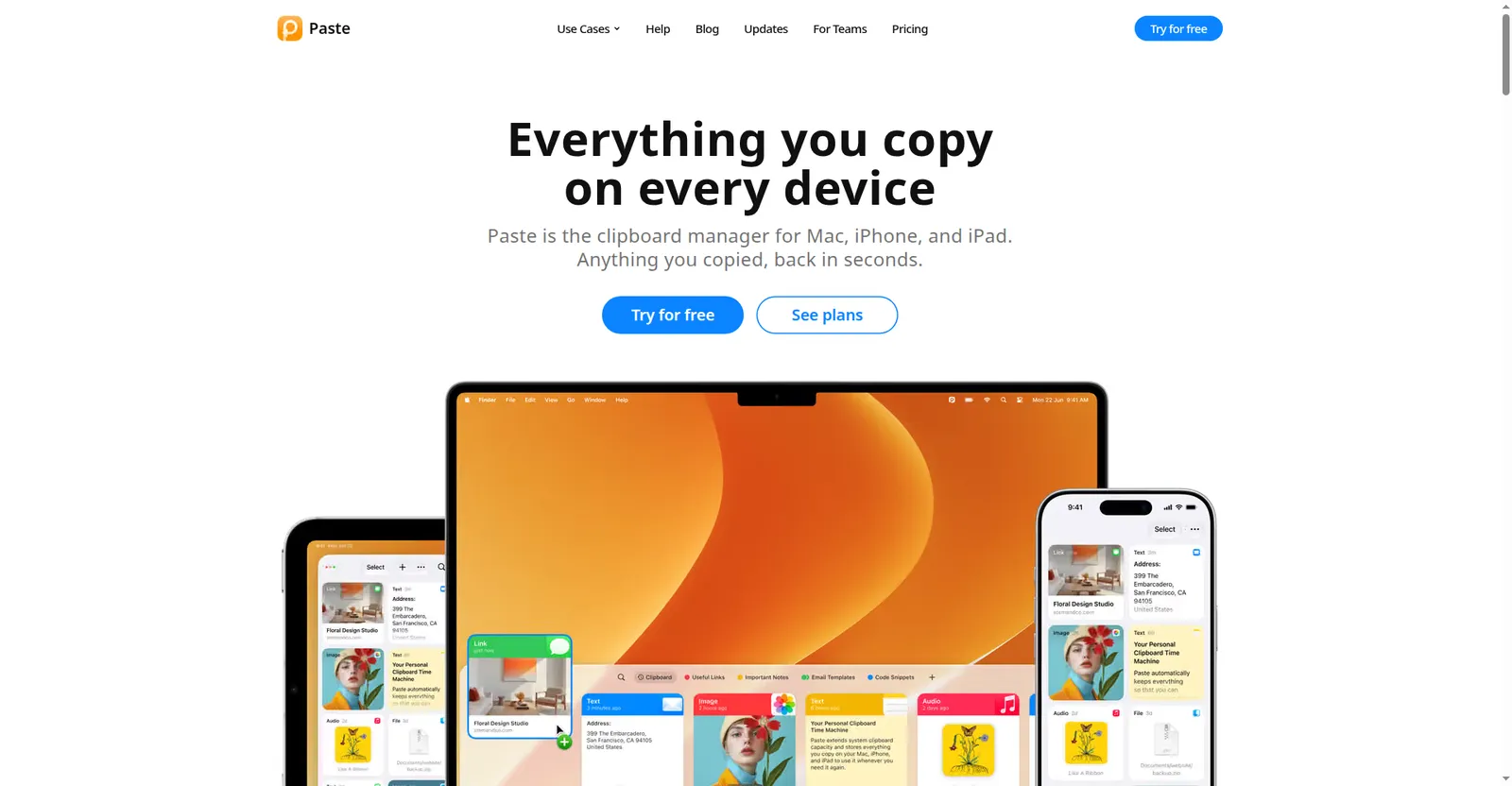
Paste homepage
1 / 2Overview
What is Paste?
Intelligent Clipboard knows what you're about to paste
Paste is the clipboard manager for Mac, iPhone, and iPad — everything you copied, back in seconds. Rated 4.5 stars with 16K+ ratings and 10 years on the App Store.
The newest launch, Intelligent Clipboard, suggests what you're about to paste based on what you're working on, powered by Apple Intelligence running privately and locally on your Mac — nothing you see or copy ever leaves it.
Beyond that, Paste gives you unlimited searchable clipboard history (an hour ago or a year ago), pinboards to pin reusable snippets, links, colors, and templates (shareable, with filters), Power Search with smart filters by type, app, and date plus text recognition in screenshots, and Jump to History. Paste MCP connects your clipboard history to Claude, Codex, and Cursor through a built-in local MCP server — you choose what to share.
Privacy is central: your clipboard stays on your device and in your private iCloud, never touches Paste's servers, and you can set rules so it ignores passwords and sensitive apps, with screen-sharing visibility controls.
Pricing: Personal $3.99/month, $29.99/year (save 37%), or $99.99 lifetime one-time. Team $3.49/user/month or $26.99/user/year with shared pinboards, admin console, unified billing, and priority support. Every plan starts with a 7-day free trial on all devices with every feature; it converts to the chosen plan unless cancelled before day 7, with an email reminder before charging.
Platforms and languages
Paste Availability
Platforms
Languages
Capabilities
Paste Key Features
Intelligent Clipboard
Suggests what you'll paste next based on what you're working on, powered by Apple Intelligence running privately and locally on your Mac.
Unlimited clipboard history
Everything you copied — an hour ago or a year ago — searchable and back in seconds.
Pinboards
Pin reusable snippets, links, colors, and templates; add filters and share pinboards with your team.
Power Search
Smart filters by type, app, and date, plus text recognition inside screenshots.
Paste MCP
Built-in local MCP server connects your clipboard history to Claude, Codex, Cursor, and other AI tools — you choose what to share.
Private by design
Your clipboard stays on your device and in your private iCloud and never touches Paste's servers. Set rules to ignore passwords and sensitive apps, with screen-sharing visibility controls.
Multi-device sync
One app for Mac, iPhone, and iPad, synced through your private iCloud.
Best for
Who uses Paste?
Developers, designers, writers
Recall anything copied across Mac, iPhone, and iPad in seconds, and feed clipboard context to AI tools
Teams
Share reusable snippets, links, and templates through shared pinboards
Plans and access
Paste Pricing
Freemium
Personal $3.99/mo or $99.99 lifetime; Team $3.49/user/mo. 7-day free trial with all features.
Common questions
Paste FAQs
Is there a free trial?
Yes — 7 days, free, on all devices, with every feature unlocked. It converts to the chosen plan unless cancelled before day 7, and Paste sends an email reminder before charging.
Does Paste see what I copy?
Your clipboard stays on your device and in your private iCloud; it never touches Paste's servers. The AI suggestions run on your Mac via Apple Intelligence. You can set rules so Paste ignores passwords and sensitive apps.
Can my AI tools use my clipboard history?
Yes. Paste MCP runs a built-in local MCP server that connects your clipboard history to Claude, Codex, Cursor, and other AI tools — you control what gets shared.
Does Paste work across my devices?
Yes. Paste syncs across Mac, iPhone, and iPad through your private iCloud, and it is also available on Setapp.
What's different about the Team plan?
Team plans add shared pinboards, an admin console, unified billing, and priority support at $3.49 per user per month (or $26.99 per user per year).
Reviews
See what the community thinks and share your experience.
—
Based on 0 ratings
Rating distribution
Community reviews
No reviews
No written reviews yet.