Desktop app that explains anything on your screen — drag a box, get the answer beside it.
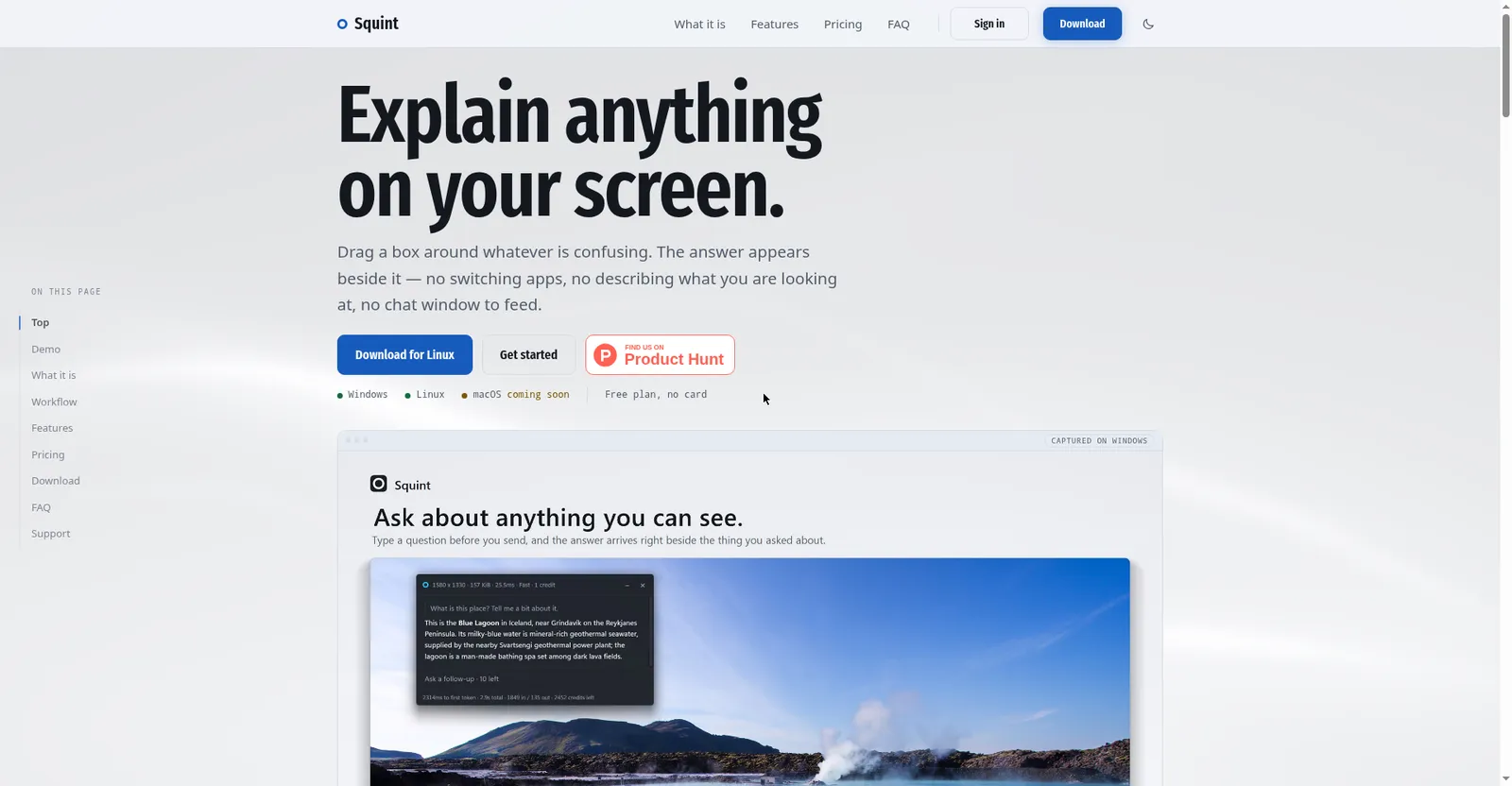
Squint homepage hero
1 / 2Overview
What is Squint?
Explain anything on your screen.
Squint explains anything on your screen. Drag a box around whatever is confusing and the answer appears right beside it — no switching apps, no pasting screenshots, no chat window to feed.
Pick per capture between the Fast and Best models, ask follow-ups in the same panel, and capture up to 4 regions at once. It doesn't watch your screen constantly; it idles in the tray until the hotkey fires, and history stays local on your machine.
Free is a real plan, not a trial: 3 captures a day with no card. Plus ($10/month) adds 2,500 monthly credits and all models. Windows and Linux today, macOS coming soon.
Platforms and languages
Squint Availability
Platforms
Languages
Capabilities
Squint Key Features
Drag-box capture
Press Win+Shift+Q, drag a box around whatever is confusing — the answer streams in beside it.
No app-switching
No pasting screenshots, no describing what you see, no chat window to feed.
Two models per capture
Choose Fast or Best per capture, with Markdown, math, and code formatting.
Follow-ups in place
Ask follow-up questions in the panel without re-capturing the region.
Private by design
It sits idle in the tray until you press the hotkey; chat history stays on your machine.
Best for
Who uses Squint?
Students, knowledge workers, and curious desktop users
Get instant AI explanations of anything visible on screen
Plans and access
Squint Pricing
Freemium
Free $0 (3 captures/day). Plus $10/mo with 2,500 credits. macOS coming soon.
Common questions
Squint FAQs
Is it really free?
Yes. The site states free is a real plan, not a trial: 3 captures a day, Fast model, no credit card.
Does it watch my screen all the time?
No. It sits idle in the system tray until you press the hotkey or trigger a capture.
Which platforms are supported?
Windows and Linux (AppImage, Wayland only). macOS is listed as coming soon.
How do I sign in?
With just an email address — no password. You get a login link.
What do credits cost on Plus?
One capture costs 1 credit on Fast and 25 on Best; Plus includes 2,500 credits a month.
Reviews
See what the community thinks and share your experience.
—
Based on 0 ratings
Rating distribution
Community reviews
No reviews
No written reviews yet.