Mac menu-bar strip showing one ring per AI coding session, pulsing amber when an agent needs your input.
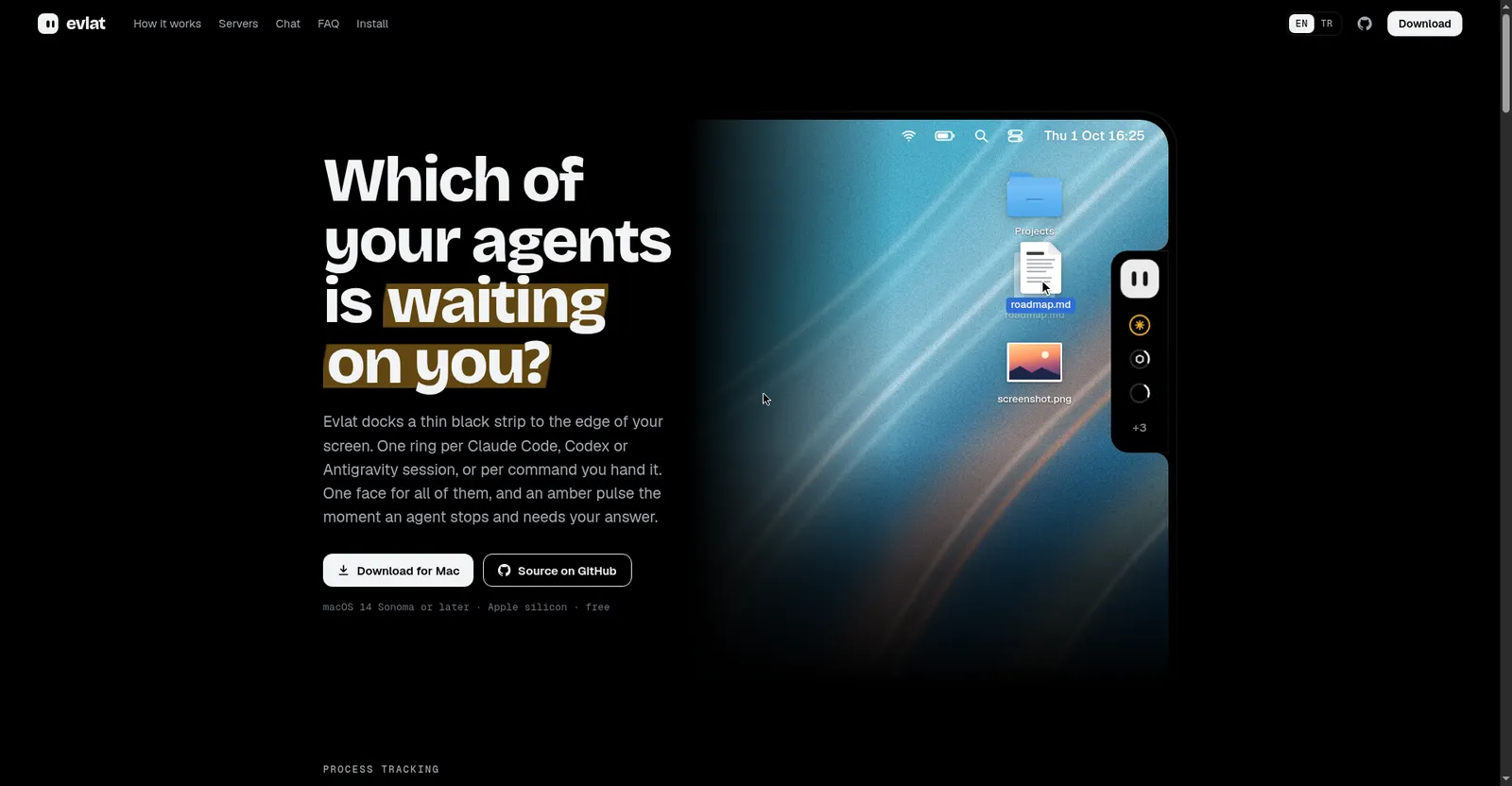
Evlat homepage hero
Overview
What is Evlat?
Which of your agents is waiting on you?
Evlat docks a thin black strip to the edge of your Mac screen — one ring per AI coding agent session. When a session needs a permission or an answer, its ring turns amber; one click opens the right terminal tab.
It tracks Claude Code, Codex, and Antigravity sessions (app, IDE, and CLI), watches long commands like builds and deploys, and shows remote SSH servers as tagged rows that dim honestly when the connection drops.
Free and open source under the Functional Source License, with no account and no telemetry. Requires macOS 14 Sonoma or later on Apple silicon.
Platforms and languages
Evlat Availability
Platforms
Languages
Capabilities
Evlat Key Features
One ring per session
A thin strip on your screen edge shows a ring per Claude Code, Codex, or Antigravity session.
Amber pulse on wait
The ring pulses amber the moment an agent stops and needs your answer or permission.
Jump to the session
Click a ring to jump straight to the owning session in iTerm, Terminal, Warp, VS Code, or Claude Desktop.
Long-command tracking
The evlat watch command puts builds, tests, and deploys on the bar with live state.
Private and tiny
No telemetry; everything stays local on a loopback server. About 32 MB disk, near-zero idle CPU.
Best for
Who uses Evlat?
Developers running multiple AI coding agent sessions on Mac
See at a glance which agent session needs input
Plans and access
Evlat Pricing
Free
Free and open source (Functional Source License). No paid tier.
Common questions
Evlat FAQs
How much does Evlat cost?
Nothing. It's free and open source (Functional Source License) with no paid tier and no account.
Does it send data anywhere?
No. Everything stays local on a loopback-only server; only a daily update check pings GitHub.
Which agents are tracked?
Claude Code, Codex, and Antigravity via official hooks, plus any long command via evlat watch.
What Macs are supported?
macOS 14 Sonoma or later on Apple silicon. There is no Intel, Windows, or Linux app.
Reviews
See what the community thinks and share your experience.
—
Based on 0 ratings
Rating distribution
Community reviews
No reviews
No written reviews yet.