Mac teleprompter panel under the notch that follows your voice, with AI script tools for creators.
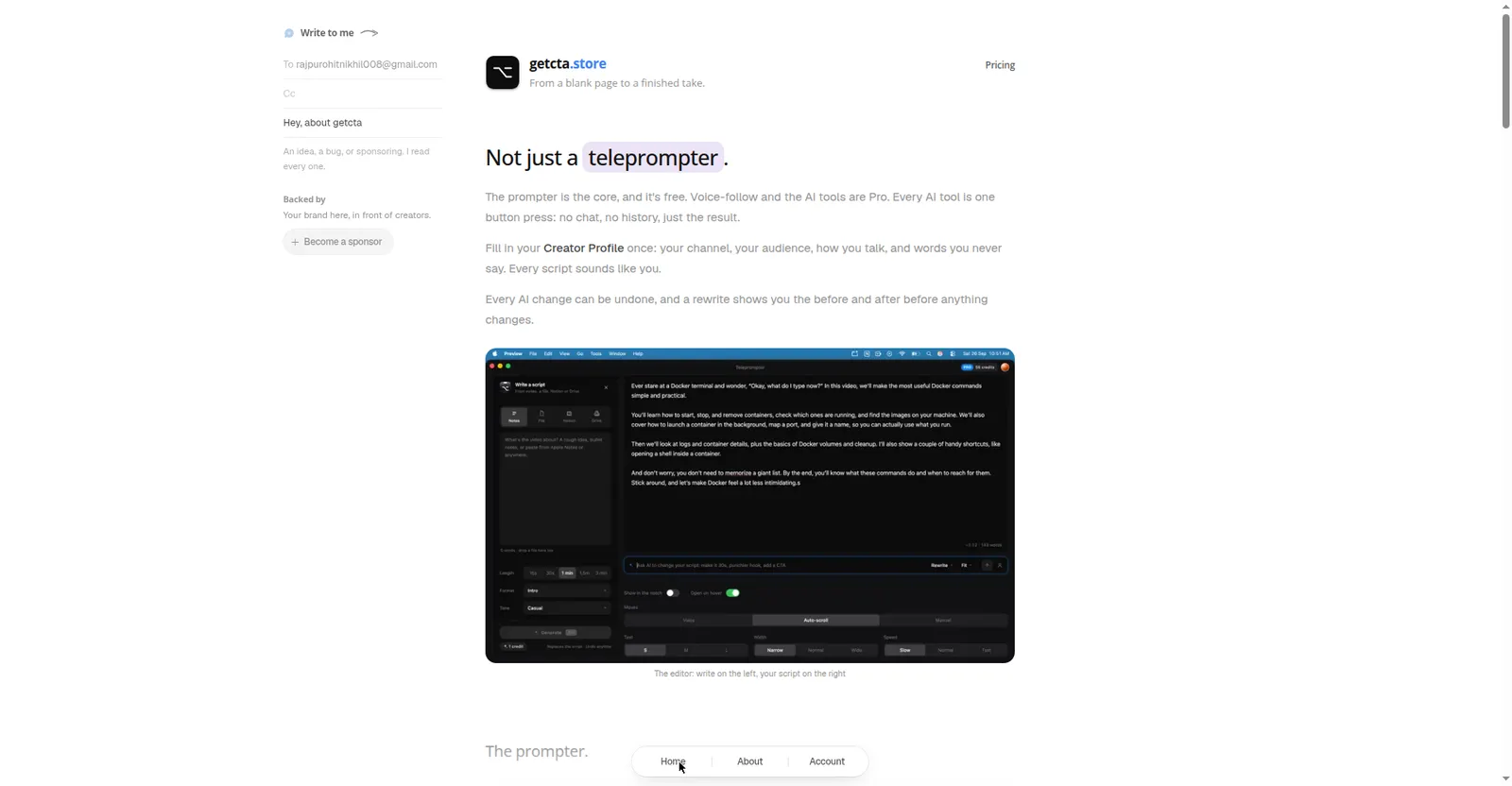
getcta.store features page
Overview
What is getcta.store?
A teleprompter under your notch.
getcta.store is a teleprompter that lives under the MacBook notch: the script sits in a small black panel right below the camera, so your eyes stay near the lens on video.
The prompter core is free. Pro adds voice-follow — it hears which word you're on, highlights it, and scrolls — plus AI script tools: generate scripts from notes, rewrite for spoken delivery, fit-to-time (15s–3min), and an AI Creator Profile that remembers your channel, audience, and style. A failed AI call refunds its credit.
Speech recognition runs on the Mac, so audio never leaves it; the prompter is hidden from Zoom, Meet, OBS, and QuickTime. macOS only (Windows and Linux coming soon). Built for YouTubers, shorts makers, and anyone recording on camera.
Platforms and languages
getcta.store Availability
Platforms
Languages
Capabilities
getcta.store Key Features
Notch prompter
A small black panel under the MacBook notch, right below the camera, keeps eyes near the lens.
Voice-follow (Pro)
Hears which word you are on, highlights it, and scrolls; pauses when you pause, catches up on skipped lines.
AI script generate (Pro)
Turns notes, a topic, or a pasted article into a spoken script in 21 formats and 13 tones.
Spoken rewrite and fit-to-time (Pro)
Reshape scripts to be easier to say or fit 15s–3min, with undo and before/after diffs.
Hidden from screen share
The prompter never appears in Zoom, Meet, OBS, or QuickTime screen shares or recordings.
Best for
Who uses getcta.store?
Video creators, YouTubers, and course or pitch recorders
Read scripts on camera while keeping eyes on the lens
Plans and access
getcta.store Pricing
Freemium
Prompter core free. Voice-follow and AI tools are Pro with 60 credits/month included.
Common questions
getcta.store FAQs
Is there a free plan?
Yes. The prompter core is free; voice-follow and the AI tools are Pro with 60 credits/month included.
Does my audio leave my Mac?
No. Speech recognition runs on the Mac, so audio never leaves it.
Will viewers see the prompter?
No. It is hidden from Zoom, Meet, OBS, and QuickTime screen shares and recordings.
Is it on Windows?
Not yet. It is macOS only; Windows and Linux are listed as coming soon.
Reviews
See what the community thinks and share your experience.
—
Based on 0 ratings
Rating distribution
Community reviews
No reviews
No written reviews yet.