Free open-source chat app where every contact is an AI bot running on your own machine.
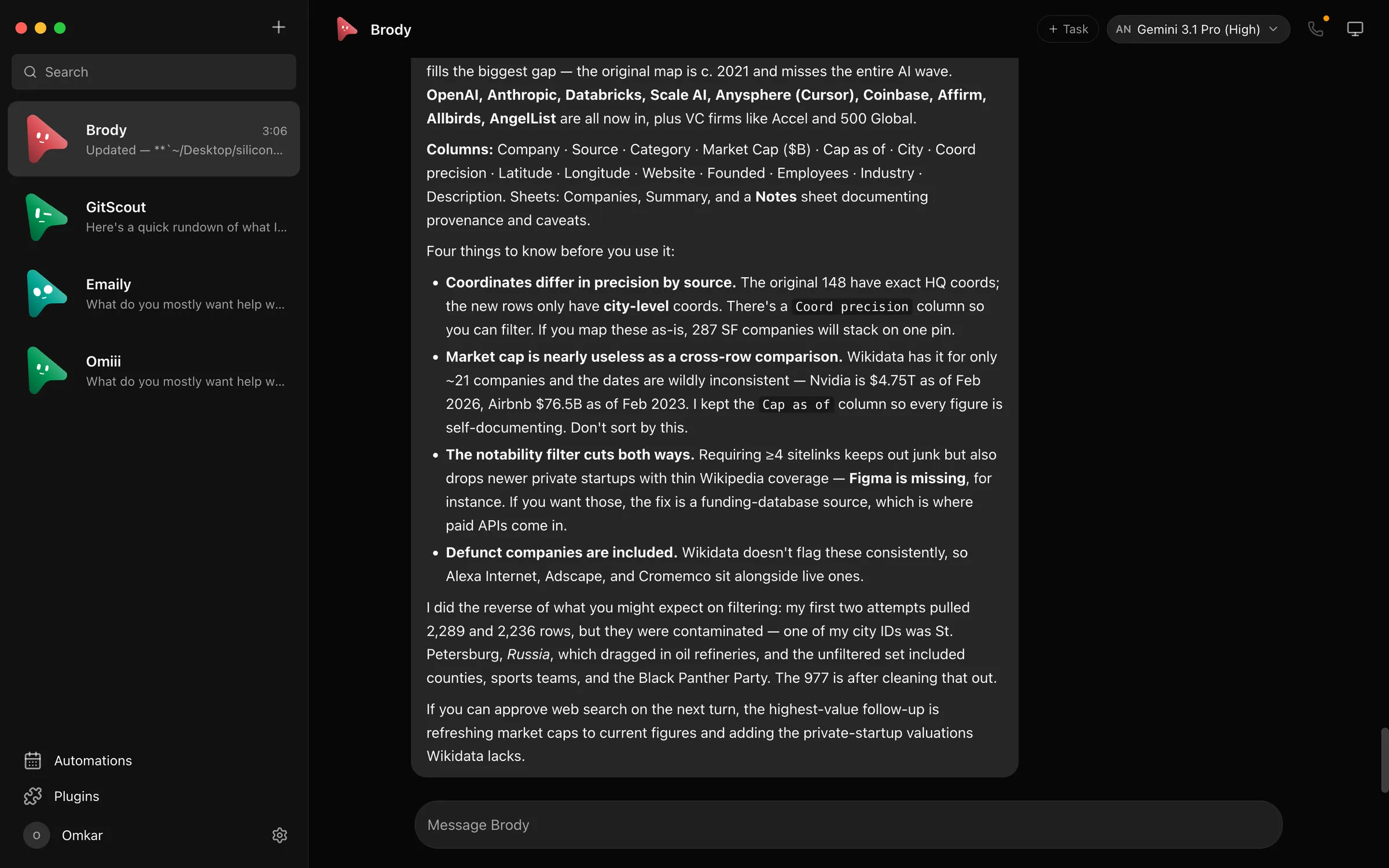
MausBot app interface
1 / 2Overview
What is MausBot?
Your own team of AI bots, in a chat app.
MausBot is a free, open-source chat app where every contact is an AI bot with its own model, computer, and apps. Give each bot a job, choose its model, and keep its conversations and work together. Bots run in parallel for research, writing, and coding, using the Claude, Codex, and Grok CLIs already installed on your machine with your existing logins, or NVIDIA NIM cloud models with your own API key. A small local harness server owns every agent process, and transcripts, keys, and events stay on your own disk. Bots can connect to Gmail, Slack, GitHub, Notion, Linear, and hundreds more apps, run scheduled routines, and ask for approval before acting. The desktop app is free under Apache 2.0; optional Cloud hosting costs extra.
Platforms and languages
MausBot Availability
Platforms
Languages
Capabilities
MausBot Key Features
Team of bots
Give each bot a job, a model, and a computer; bots run in parallel like chat contacts.
Bring your own agents
Bots run on the Claude, Codex, and Grok CLIs already on your machine with your logins.
Local-first
Transcripts, keys, and events stay on your own disk, with a local harness server.
Connected apps
Connect Gmail, Slack, GitHub, Notion, Linear, and hundreds more apps via Composio.
Routines and approvals
Schedule recurring bot routines on a calendar and approve actions before they run.
Best for
Who uses MausBot?
Developers and power users
Run parallel AI agents on existing model subscriptions
Small teams
Delegate recurring research, writing, and coding tasks to bots
Plans and access
MausBot Pricing
Freemium
Desktop app free and open source; optional Cloud plans offer a 3-day trial
Common questions
MausBot FAQs
What do I pay for?
The desktop and companion apps are free and open source under Apache 2.0. You bring your own provider account or API key, so your provider's pricing and limits apply, and optional Cloud hosting costs extra.
Do I need to connect apps or a cloud computer?
No. You can start by chatting with a bot using one connected provider. Connect an app or enable computer access only when a task needs it.
Which platforms can I use?
Desktop downloads cover macOS (Apple silicon and Intel), 64-bit Windows, and x86-64 Linux, with Android and iOS companion apps. The desktop app is available in 10 languages.
When does a bot ask for approval?
Access depends on the engine, working folder, connected apps, and computer permissions you enable. Supported actions can show approval requests in chat, so review each request before allowing it.
Reviews
See what the community thinks and share your experience.
—
Based on 0 ratings
Rating distribution
Community reviews
No reviews
No written reviews yet.