A lightweight, privacy-first mind mapping app with AI idea generation, outline mode, and Markdown & LaTeX support.
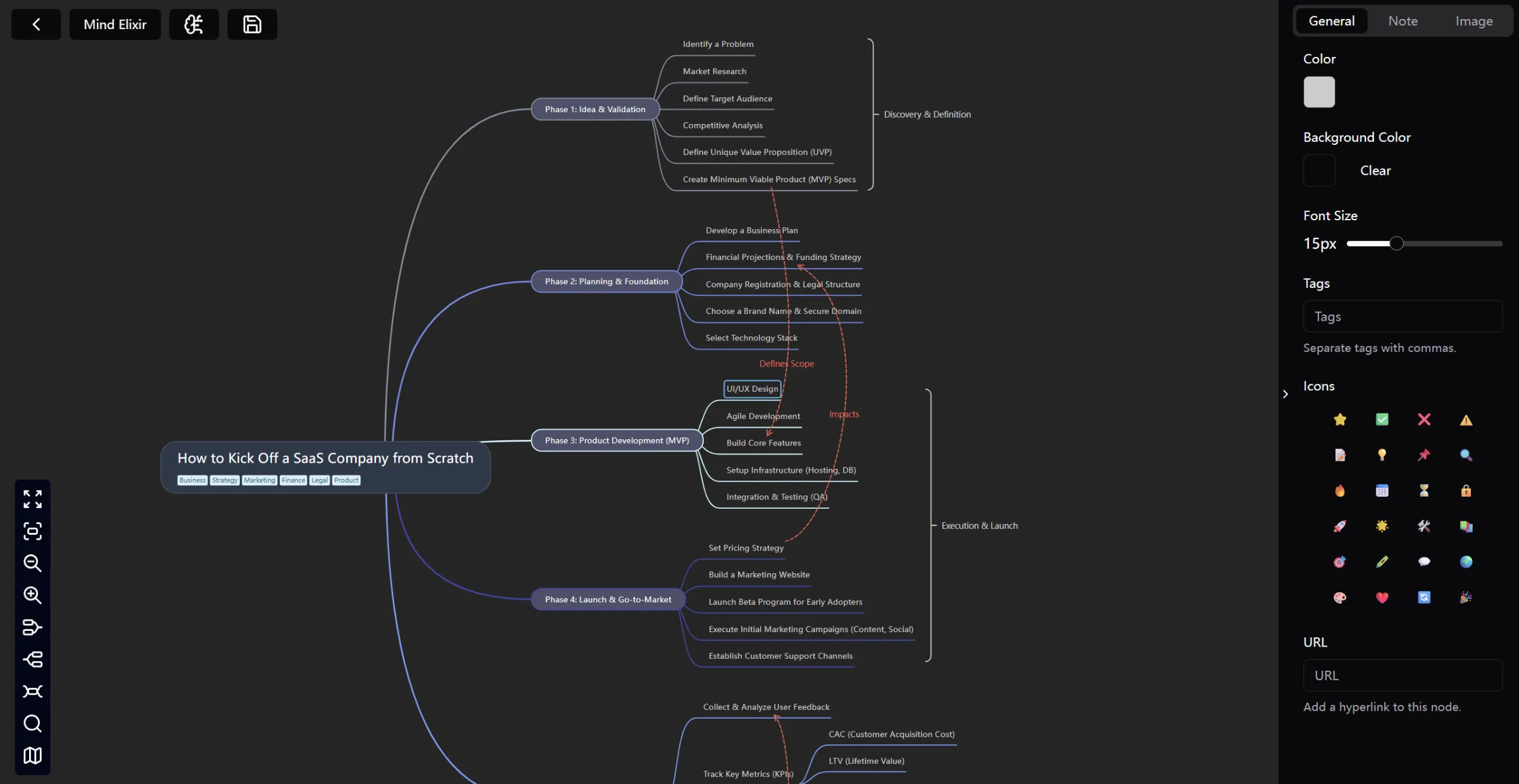
Mind Elixir mind map editor with node tags and formatting
1 / 3Overview
What is Mind Elixir?
Privacy-first mind mapping, enhanced by AI.
What makes Mind Elixir useful
Mind Elixir is a mind mapping app for people who think in branches. It runs on Windows, macOS, Linux, iOS and Android from one lightweight build (under 20 MB), so it opens instantly and stays out of the way while you work.
Local-first by design
Every map is stored on your own device. No account is required, usage is never tracked, and no copy of your work sits on someone else's server. You can export at any time as JSON, PNG, JPEG, WEBP, PDF or Markdown, so your thinking is never locked in.
AI that works on your map, not next to it
Connect your own AI provider with your own API key, or attach an MCP server. Generate new branches from a single node, expand a rough outline into a structured map, or ask what is missing. Mind Elixir does not proxy or store your prompts; requests go from your machine to the provider you chose.
Outline mode for restructuring
Switch any map into outline mode to see it as an indented list. Reordering branches there reorders the map, which makes large maps far easier to restructure than dragging nodes around.
Formatting that keeps up with technical work
Nodes support Markdown rich text plus LaTeX formulas and chemical equations, so study notes, research plans and engineering breakdowns can live in the same map as everyday ideas.
Sync and sharing on your terms
Bring your own S3-compatible storage to sync between devices without handing data to a third party, export a PNG or Markdown file to share anywhere, or publish to Mind Elixir Cloud for a public link.
Useful limitations
The AI features need your own API key and are not included in the free tier. iOS and Android builds are still in beta. Real-time multi-user editing is not supported; collaboration happens through exported files, S3 sync or public links.
Platforms and languages
Mind Elixir Availability
Platforms
Languages
Capabilities
Mind Elixir Key Features
AI idea generation
Select any node and let AI expand it into new branches, then apply the suggestions straight back into your mind map. Works with your own API key or an MCP server.
Local-first privacy
Every map is stored on your device with no account and no usage tracking. Export to JSON, PNG, JPEG, WEBP, PDF or Markdown whenever you want.
Outline mode
View any map as an indented outline and reorder branches there. Large maps become far easier to restructure than dragging nodes around.
Markdown and LaTeX nodes
Nodes render Markdown rich text plus LaTeX formulas and chemical equations, so study notes and research plans live beside everyday ideas.
Best for
Who uses Mind Elixir?
Students, researchers and writers
Capture lecture notes, research outlines and article drafts as maps, then use AI to expand the branches that need more depth.
Product and engineering teams
Break down feature scope, user flows and system design, then sync maps across devices with your own S3-compatible storage.
Plans and access
Mind Elixir Pricing
Freemium
Free plan covers core mind mapping. Annual $19/year and Lifetime $31.20 (one-time) unlock all export formats, AI content generation, unlimited maps, watermark-free export and priority support. Team and enterprise licences are available on request.
Common questions
Mind Elixir FAQs
How does local storage work?
Every mind map is stored locally on your own computer. Mind Elixir does not upload, sync or track your data unless you deliberately attach your own S3-compatible storage.
How do the AI features work?
You pick a provider and model and supply your own API key, or connect an MCP server. Prompts go straight from your machine to that provider; Mind Elixir does not collect, proxy or store them.
Which platforms are supported?
Windows, macOS and Linux have full releases. iOS and Android builds are available in beta. The app is under 20 MB on every platform.
Compare similar tools
Mind Elixir Alternatives
Reviews
See what the community thinks and share your experience.
—
Based on 0 ratings
Rating distribution
Community reviews
No reviews
No written reviews yet.