Desktop workspace that runs AI coding agents across repos, with guardrails between agents and production.
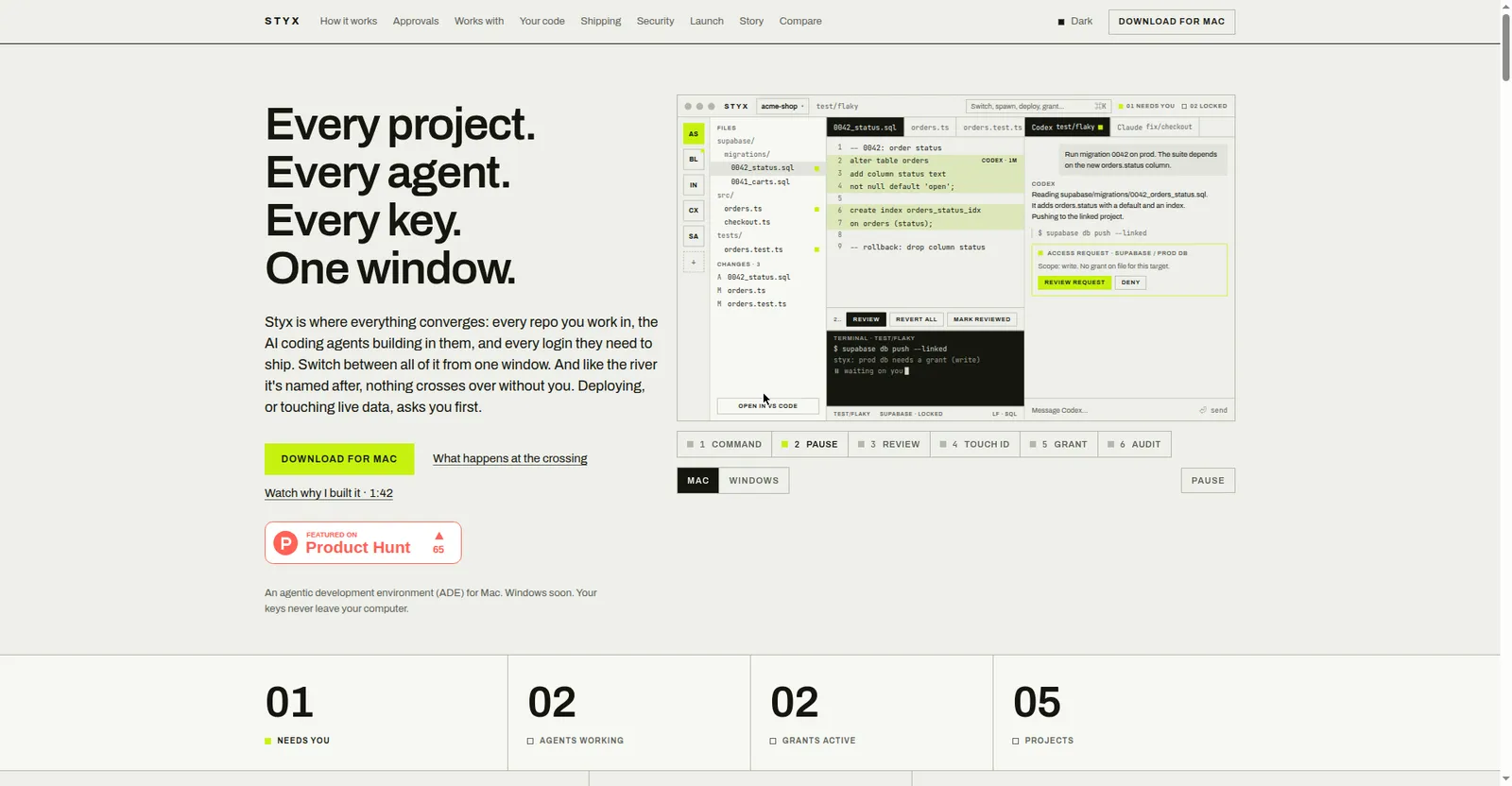
Styx homepage hero
1 / 2Overview
What is Styx?
An agentic development environment (ADE) for Mac
Styx is an agentic development environment for Mac — one window where every repo you touch, the AI agents building in them, and every login they need to ship all converge. It works with the coding agents already on your machine: Claude Code, Codex, Gemini CLI, and Cursor.
The core idea is guardrails: every agent works on its own copy or branch, clashes stop the agent with exact conflict details, and nothing crosses into production without you. Agents never hold your keys — they borrow temporary, scoped access, and anything touching live data or deploys requires Touch ID approval with a tamper-proof audit log.
Free beta download for Mac; Windows is coming soon. Your code, projects, prompts, and keys stay on your computer.
Platforms and languages
Styx Availability
Platforms
Languages
Capabilities
Styx Key Features
One-window multi-repo workspace
Every repo you touch with its AI coding agents, branches, and services, switchable via a command bar.
Agent guardrails
Each agent works on its own branch; clashes stop the agent with exact conflict details, and nothing merges without your approval.
Gated production access
Agents never hold keys; they borrow temporary scoped access, and anything touching live data needs Touch ID or Windows Hello approval.
Review workflow
Diff hunk review with revert, per-turn undo, design previews, and background tech-debt audits.
Skills system
Install skills once and share them across agents, with a usage view per agent.
Best for
Who uses Styx?
Mac developers building with AI coding agents
Run multiple coding agents across repos without risking production
Plans and access
Styx Pricing
Free
Free beta download for Mac. Windows version coming soon. No paid plans shown.
Common questions
Styx FAQs
What does it cost?
The beta is a free Mac download; no pricing page or paid plans exist on the site.
Which platforms are supported?
macOS now; Windows is coming soon.
Do agents get my credentials?
No. Keys stay in the Mac keychain or Windows credential store; agents get temporary scoped passes that expire or can be revoked.
Which coding agents does it work with?
It works with the coding agents already installed on your computer, such as Claude Code, Codex, Gemini CLI, and Cursor.
Reviews
See what the community thinks and share your experience.
—
Based on 0 ratings
Rating distribution
Community reviews
No reviews
No written reviews yet.